AI and MCP
Your AI drafts. You decide.
Connect Claude, Cursor or Codex to any site over MCP. It reads your house rules, saves drafts with its name on them, and nothing goes live until someone publishes.
The tour · real screens
What happens when Claude works.
Seven steps on the real app, from connecting to a logged change. Pick a chapter to jump.
1/9Copy the site’s MCP URL into your AI app
Ask
Ask about any site.
Your AI app answers from the CMS itself. The answers below are real numbers from the Sitessa suite that runs our own sites.
Read tools never change content. Writes are drafts.
From the SEO plugin’s audit of staffic.io.
MCP tools (53)
Every tool, in the open.
50 tools on each site's endpoint, plus 3 suite tools for super admins. Filter, search, and pick one to read what it does.
cms_upsert_entry
Create or update by slug in one call: the usual way to write a page.
Writes are drafts with the app’s name on them, unless someone asked to publish.
Control
Drafts first. Rules always.
Six guardrails that hold for every AI app on every site. Each one shown on the real screen.
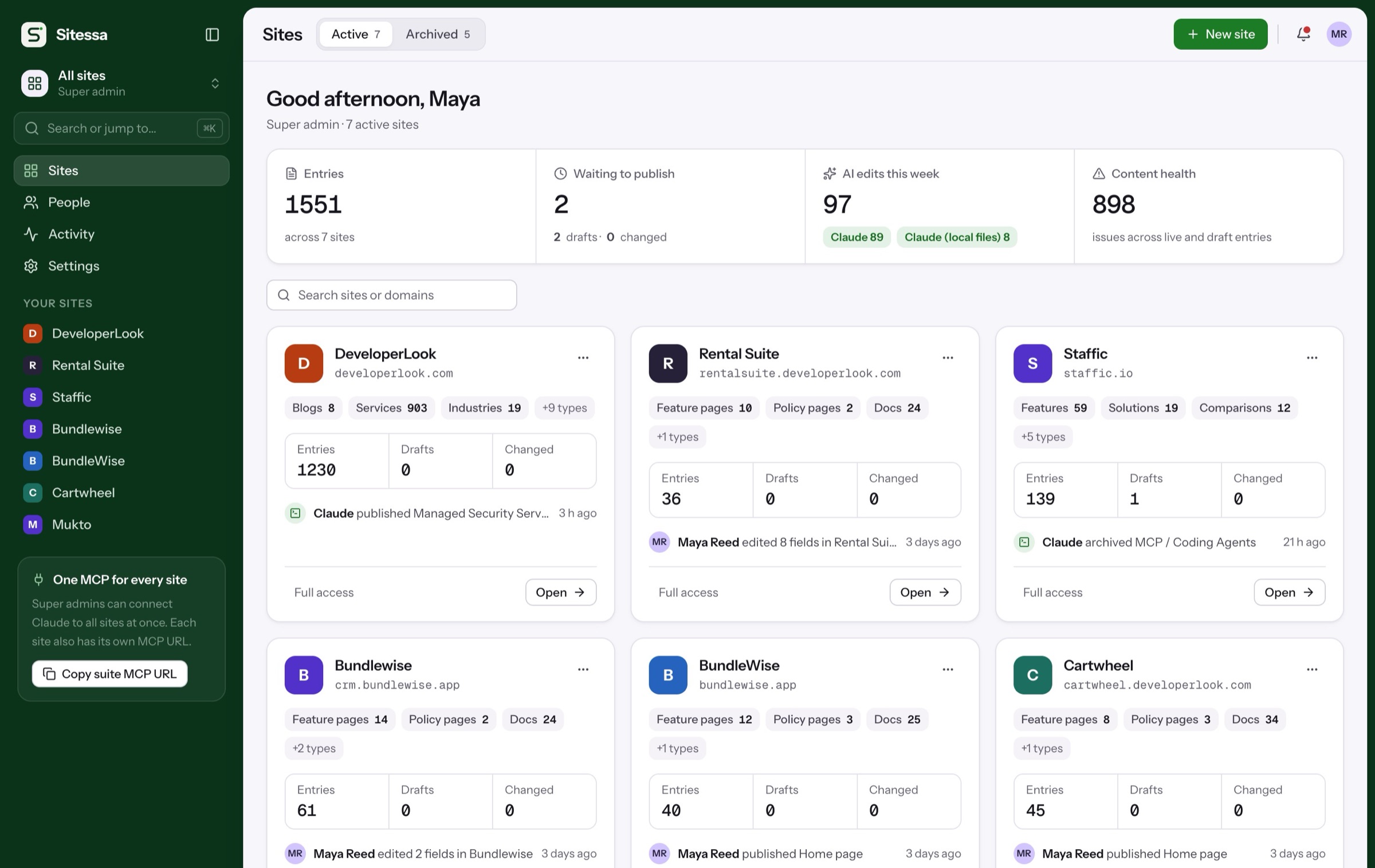
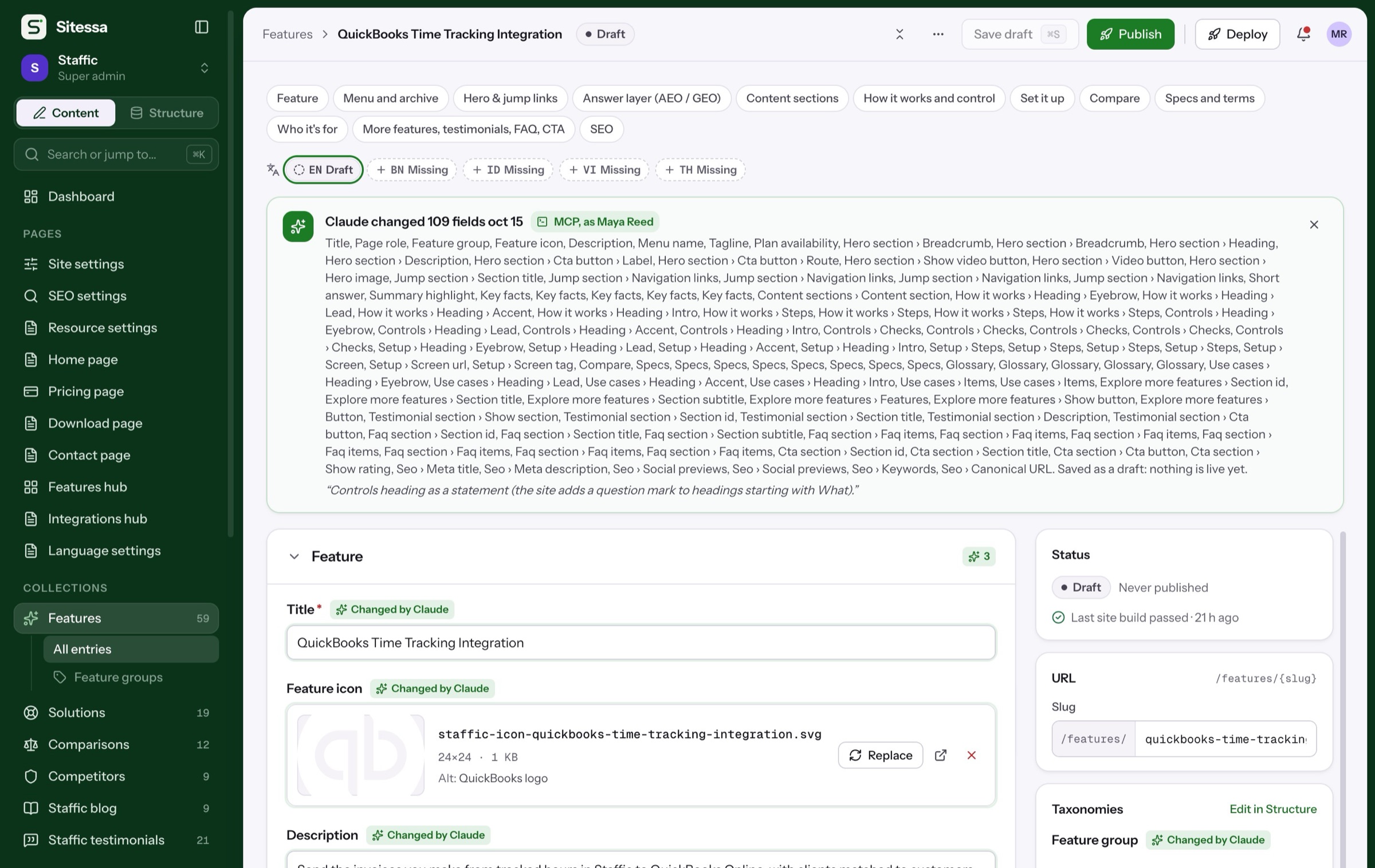
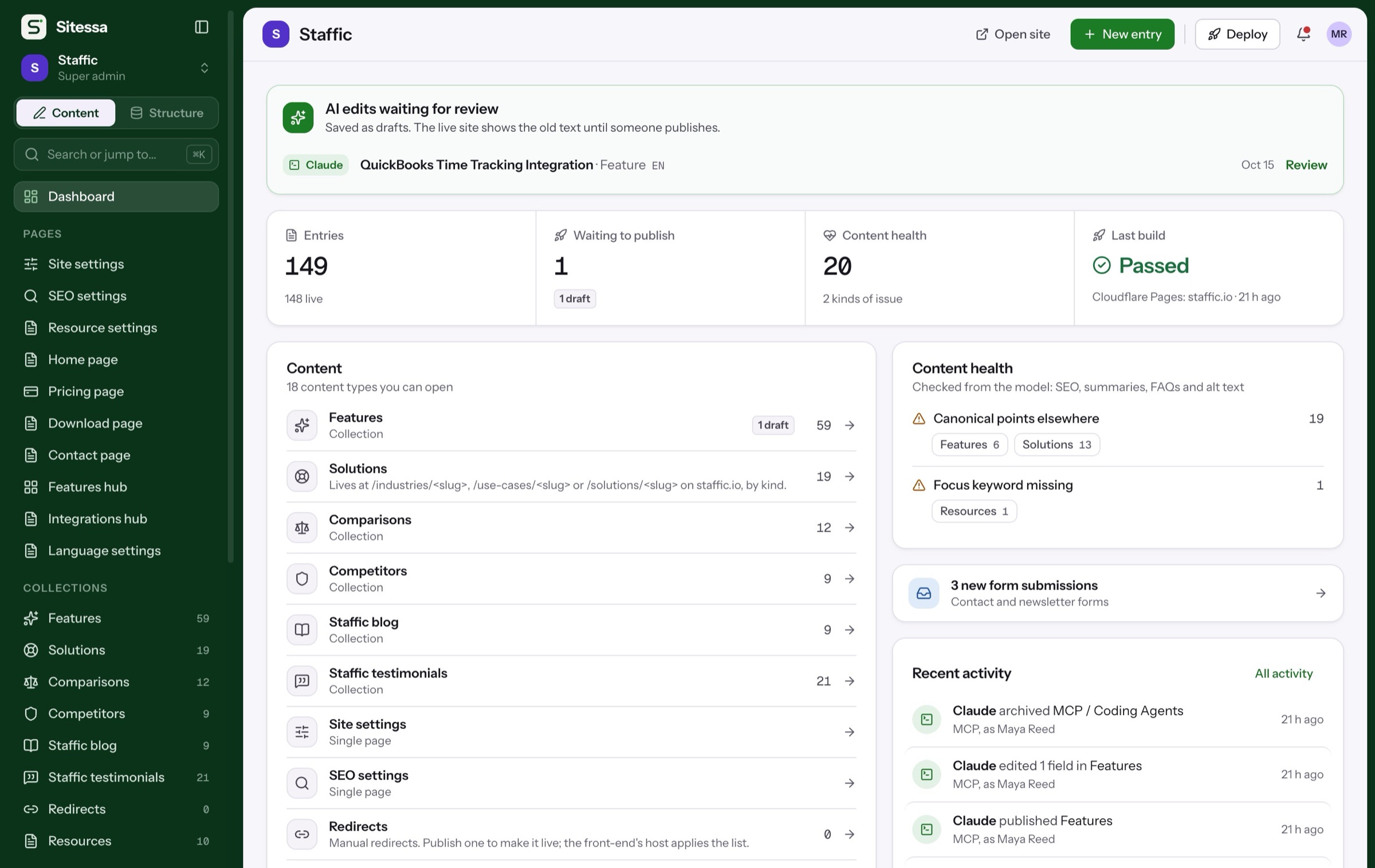
AI writes are drafts with the app’s name on them. The live site keeps the old text until someone publishes.
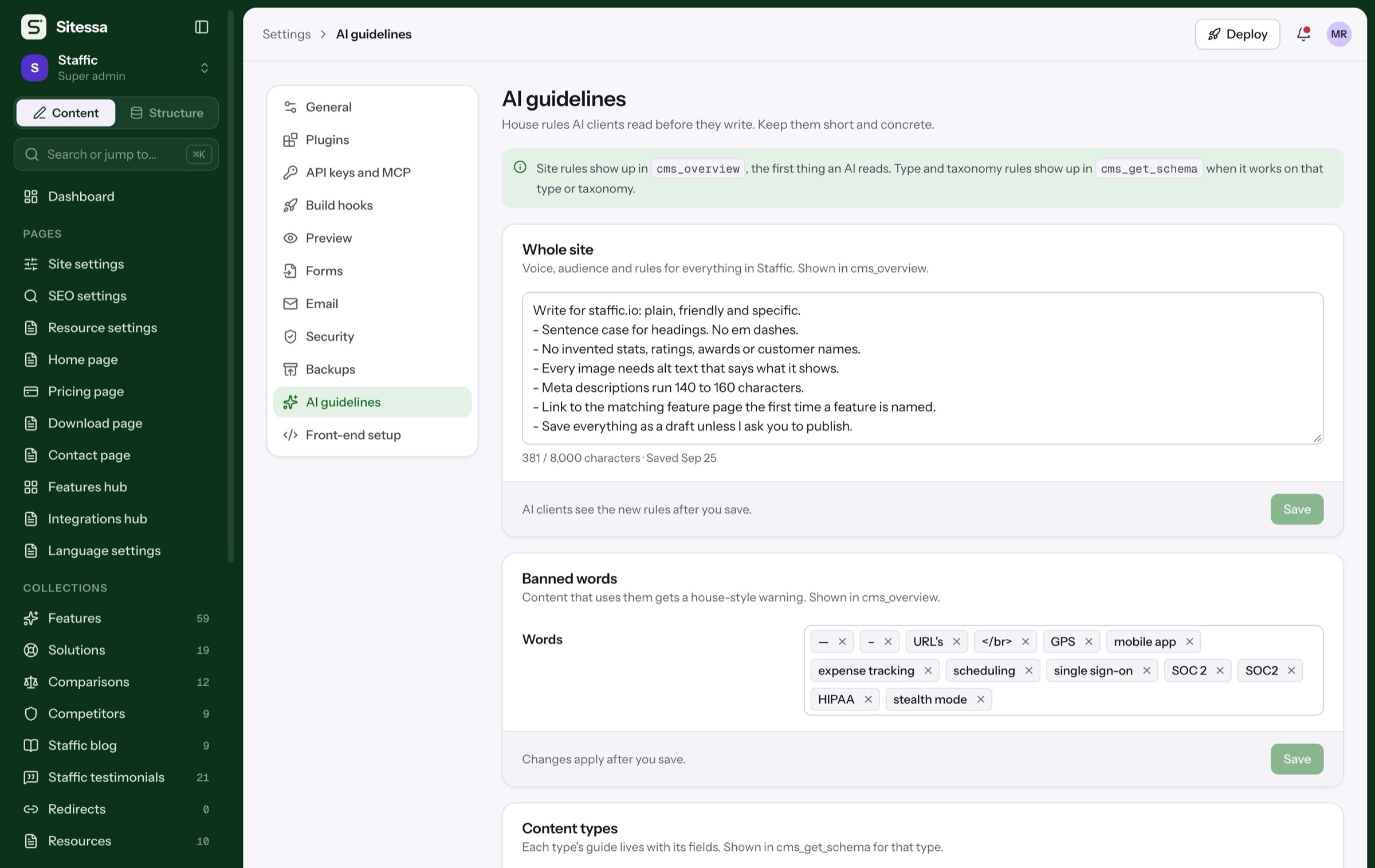
Site rules and banned words come with cms_overview, the first thing an AI reads.
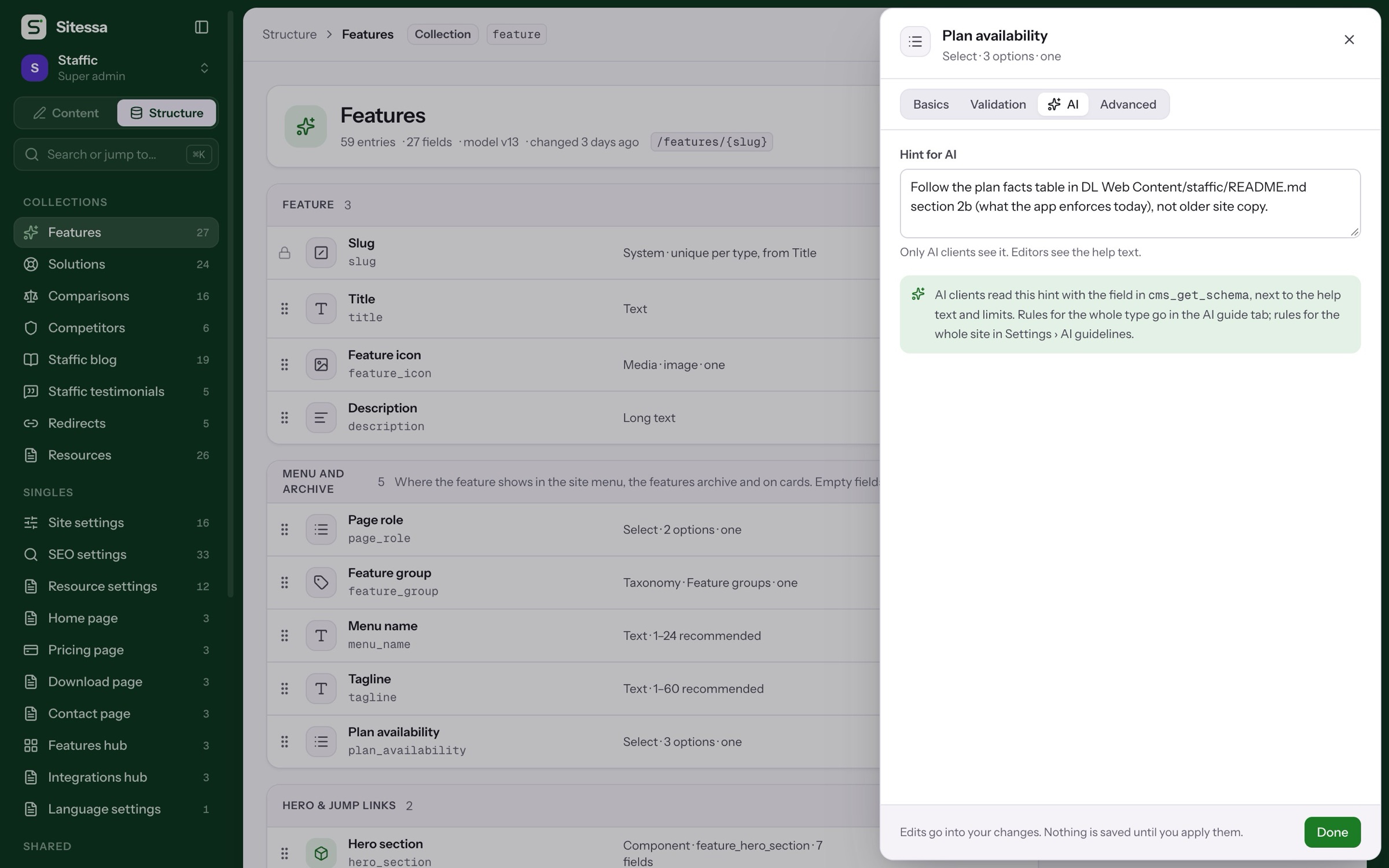
Hints only AI clients see, next to each field’s help text and limits.
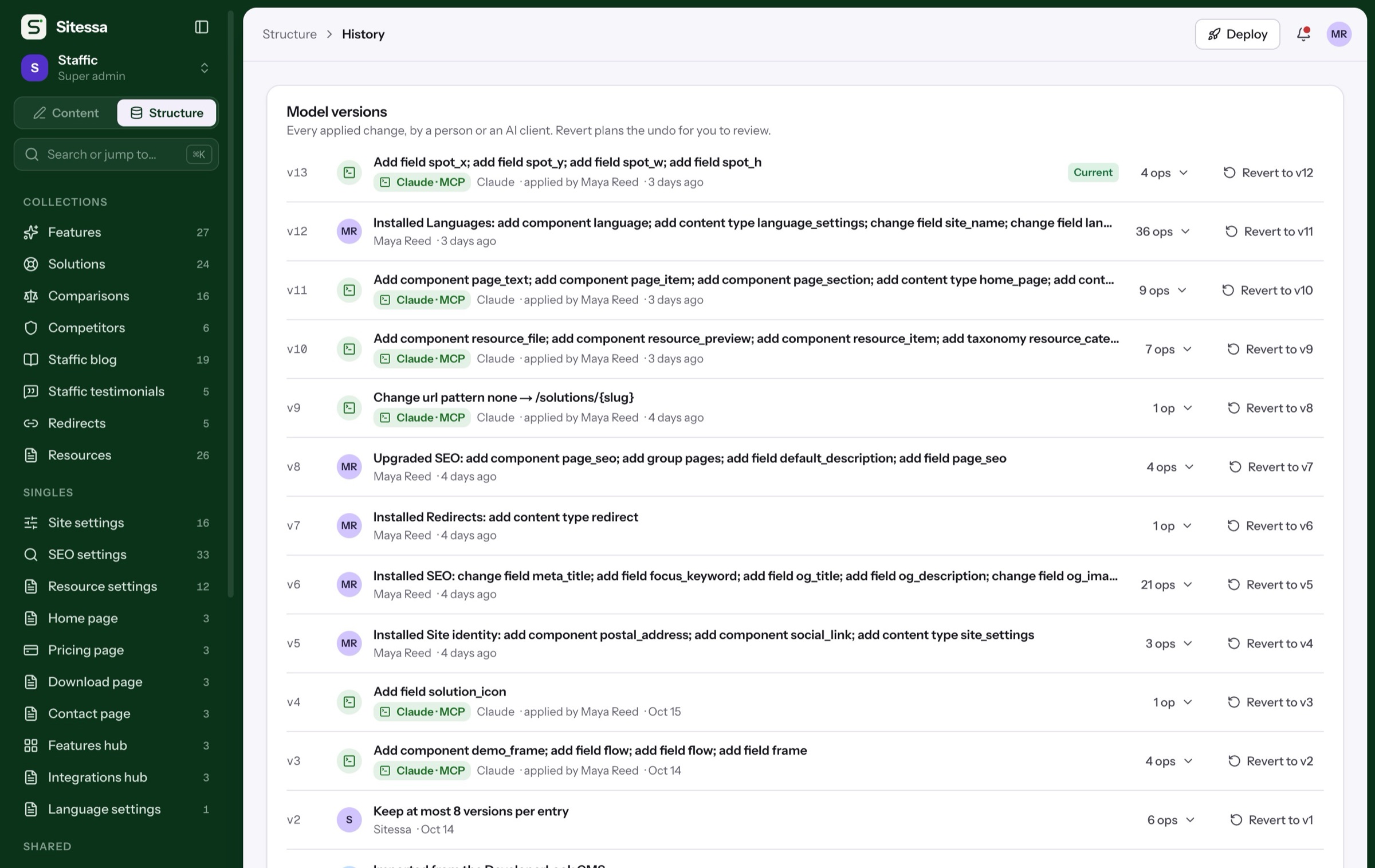
An AI proposes; a person reviews the plan in Structure › History before it applies.
Every signed-in AI app is listed per site. Signing one out ends its access right away.
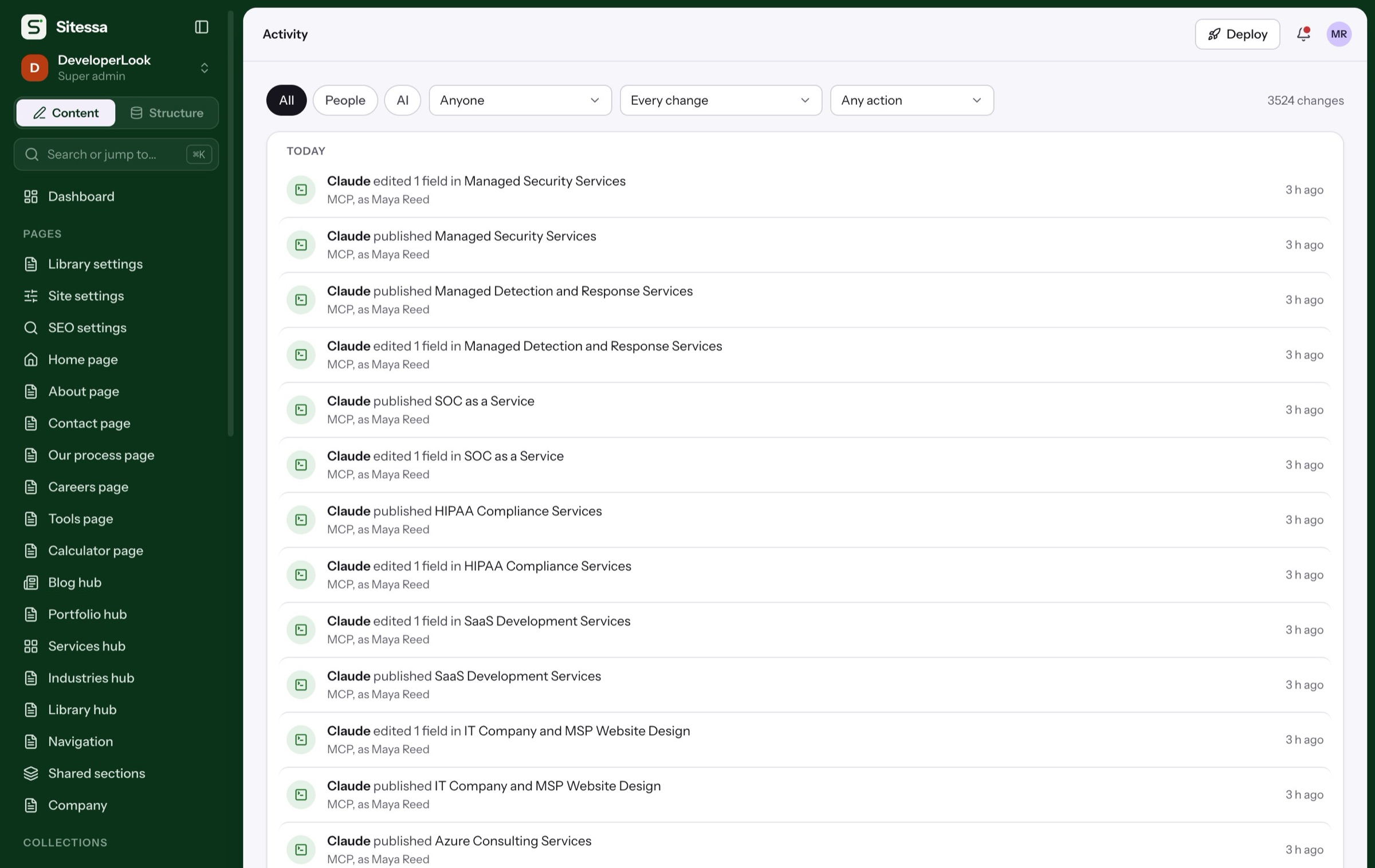
Who, which app and when, for every change by a person or an AI.
Set it up
Five minutes to your first draft.
Five steps, each on the screen where you do it. The ring marks what to click.
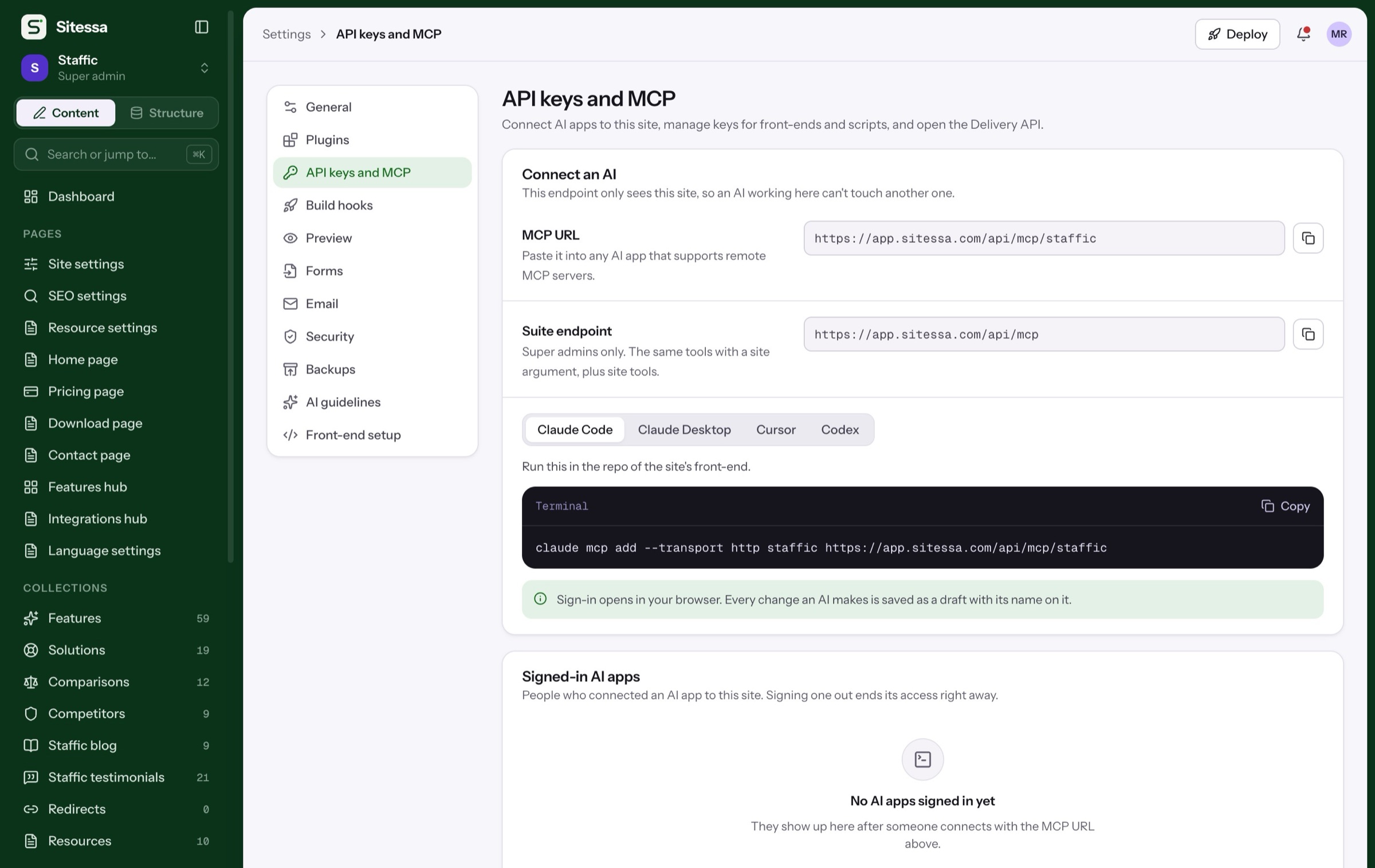
Each site has its own URL, so an AI working there can’t touch another site.
Settings › API keys and MCP
Pick your app for copy-ready setup: a command, a config file or a URL to paste.
Claude Code · Claude Desktop · Cursor · Codex
Sign-in opens in your browser. There is no key to paste.
Your browser
Voice, banned words and rules per content type. Every AI reads them first.
Settings › AI guidelines
Drafts wait on the dashboard. Compare, then publish or send them back.
Dashboard › AI edits waiting for review
Run this in the repo of the site’s front-end. Sign-in opens in your browser.
Review
Then and draft, side by side.
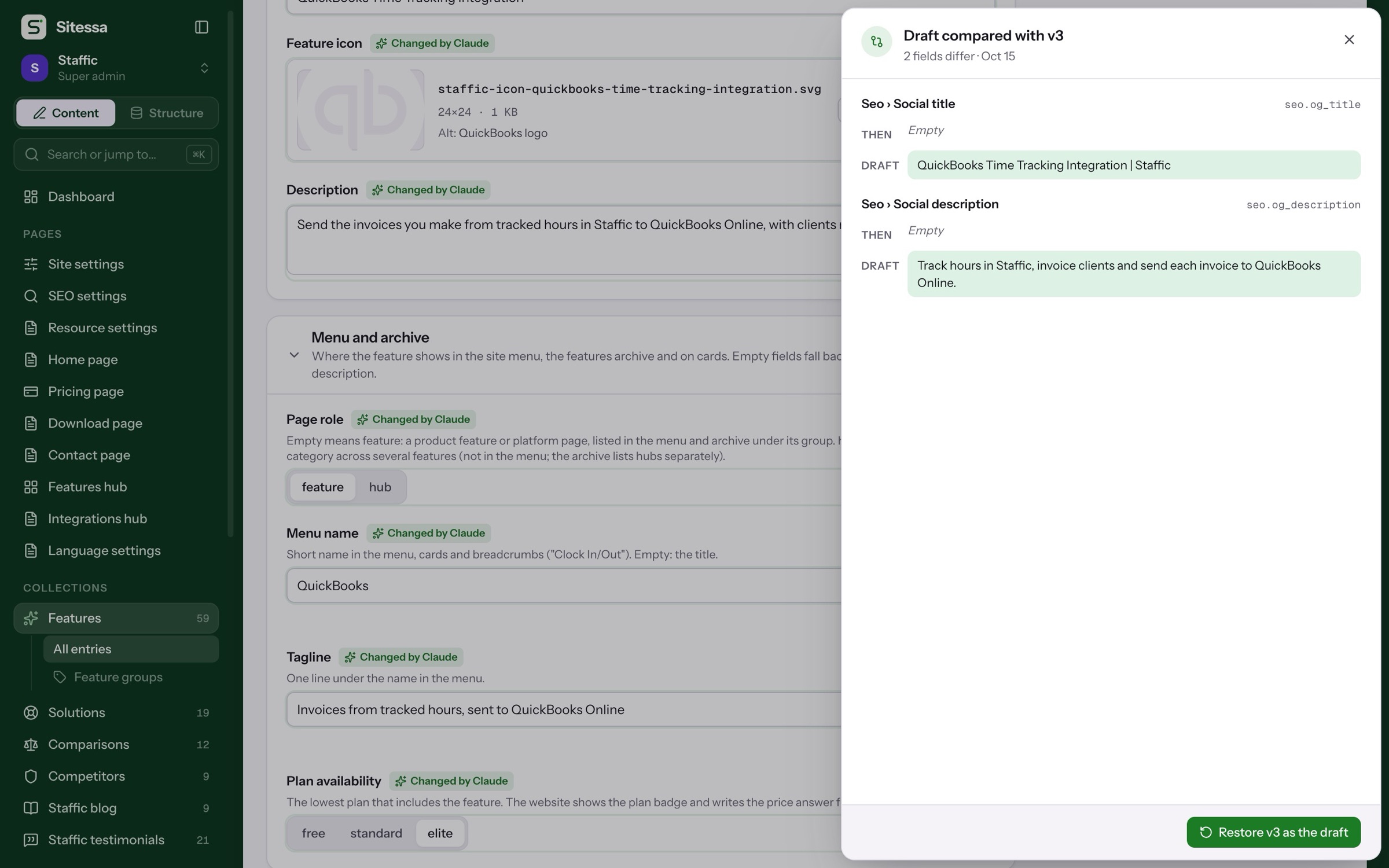
The real compare from the QuickBooks page: Claude filled two empty social fields. Drag the handle.
- Social title: version 3 had nothing; Claude's draft has QuickBooks Time Tracking Integration | Staffic.
- Social description: version 3 had nothing; Claude's draft has Track hours in Staffic, invoice clients and send each invoice to QuickBooks Online..
- Menu name: version 3 had QuickBooks; Claude's draft has QuickBooks.
Specs and terms
The details.
| Endpoint | One per site: app.sitessa.com/api/mcp/<site>. Super admins also get the suite endpoint, /api/mcp. |
|---|---|
| Connect | Remote MCP over HTTP. Sign-in opens in your browser; no key to paste. |
| Tools | 50 per site, 53 on the suite endpoint. An AI's role limits what it may do. |
| Writes | Saved as drafts with the app's name and a note. Its edits to one entry within 10 minutes count as one version. |
| Needs your OK | Archiving, unpublishing many, permanent deletes, restoring versions, deleting files, new image sizes, guideline changes and applying model plans. |
| Model changes | Proposed as plans that a person reviews in Structure › History. |
| Access | Signed-in AI apps are listed per site. Signing one out ends its access right away. |
| The server | Runs no AI. Your connected app writes the content. |
Which AI apps can connect?
Any app that supports remote MCP servers. Settings has copy-ready setup for Claude Code, Claude Desktop, Cursor and Codex.
Can the AI publish on its own?
It saves drafts by default and publishes only when someone asks it to. Every change is logged, and any version can be restored.
Can it change my content model?
It can propose a plan. A person reviews it in Structure › History, and it applies only after that.
How does it know our style?
From your AI guidelines and banned words, rules per content type, and a hint on each field. It reads them before it writes.
Does Sitessa run the AI?
No. You bring the AI app you already use; Sitessa gives it tools, rules and a review step.