CompareWordPress
Sitessa vs WordPress. An honest look.
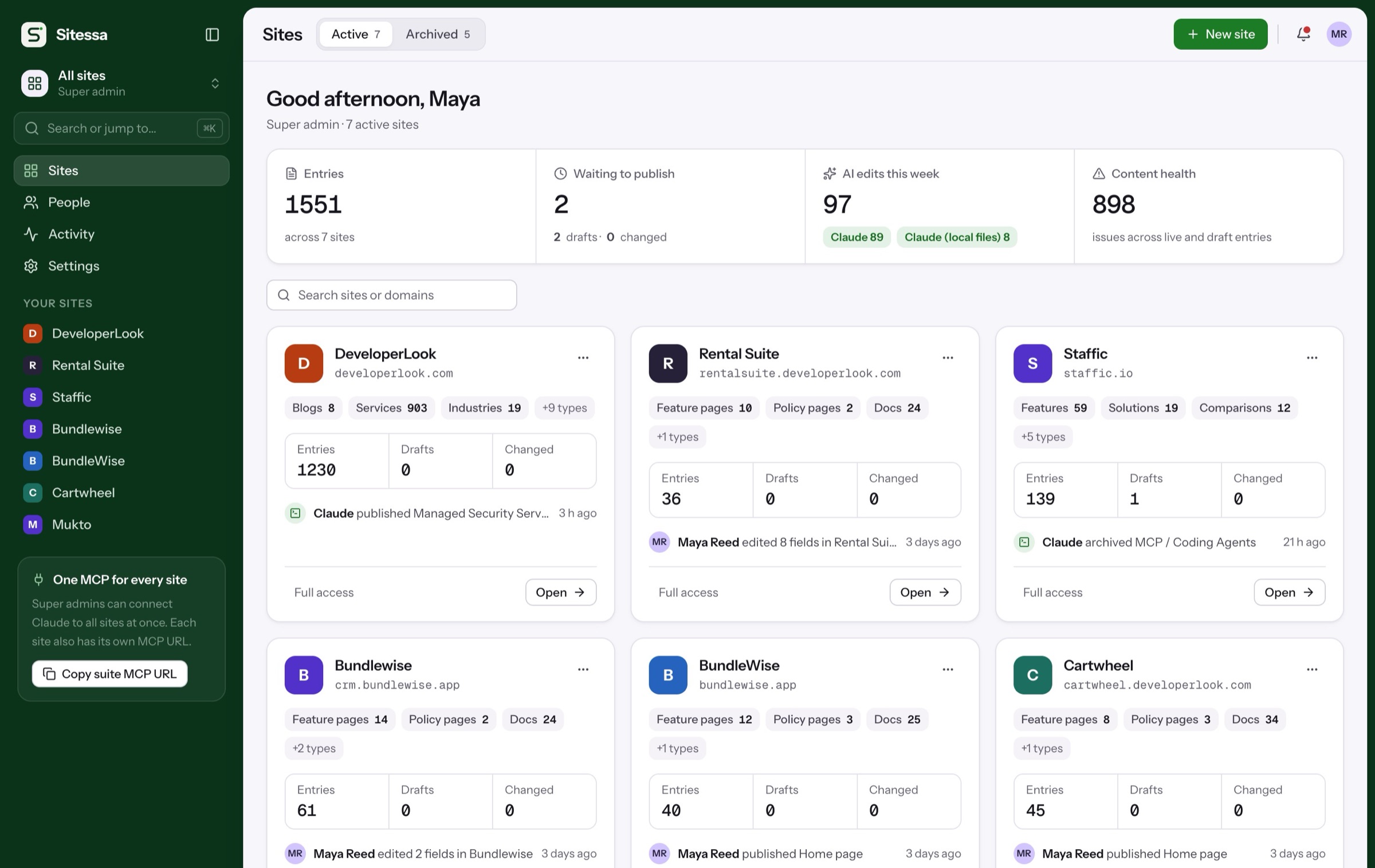
WordPress runs about 40% of all websites, with a theme or plugin for almost anything. Sitessa is a headless CMS for people who run several sites, with your own AI built in over MCP.
- You run several sites and want them in one place
- Your sites have their own front-end code
- You want your AI to draft content you review
- You want typed content and fewer things to update
Side by side
Feature by feature.
Filter by topic, or show only the rows where the two differ. Where WordPress is better, we say so.
WordPress 7.1.3 and WordPress.com, checked 23 October 2026: W3Techs · WordPress.org vs .com · License · Custom fields · Revisions · Multisite · MCP Adapter · WordPress.com MCP · REST API · WPGraphQL · Headless guide · Themes · Plugins · Updates · Roles · Pricing.
Key differences
Where Sitessa is different.
Five differences that matter when you run more than one site, each on the real app.
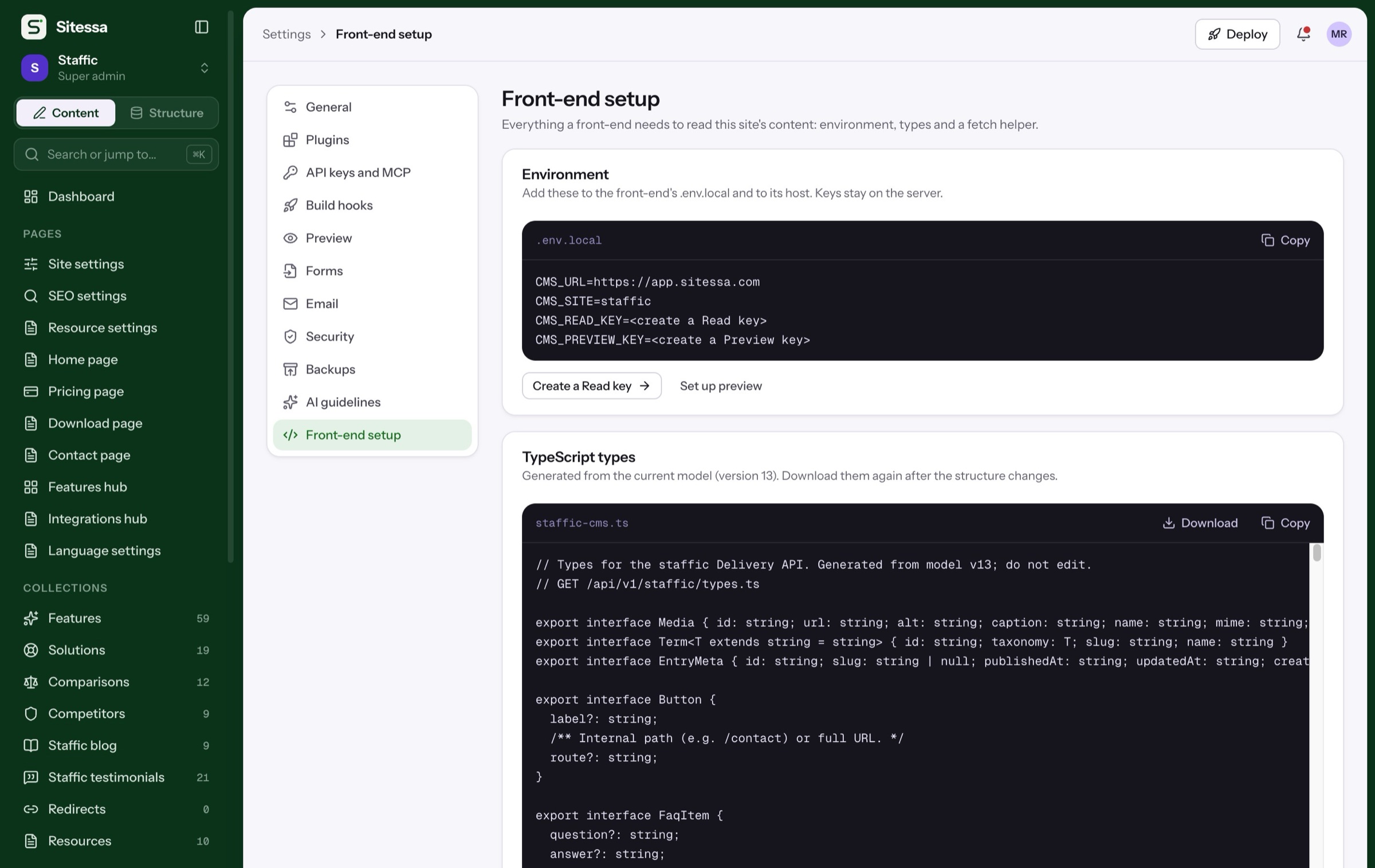
Front-ends read content through the Delivery API with a read key, and get TypeScript types generated from the model.
WordPress: Core has had a REST API since 4.7. GraphQL comes from the WPGraphQL plugin, and we found no official type generator.
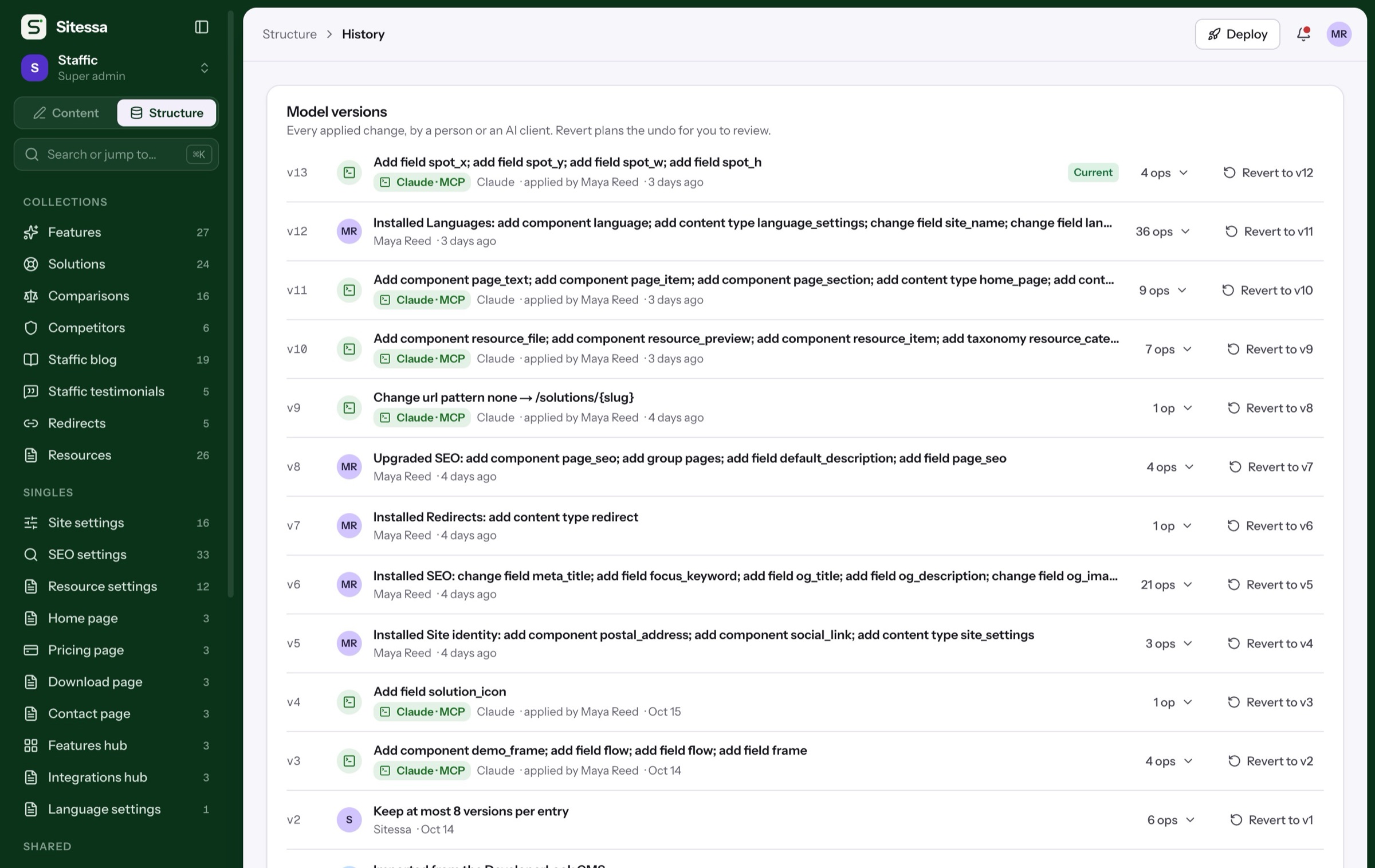
Add fields in Structure without code. Every model change is reviewed, applied as a version, and can be reverted.
WordPress: Post types and fields are registered in PHP, or built with a plugin such as ACF.
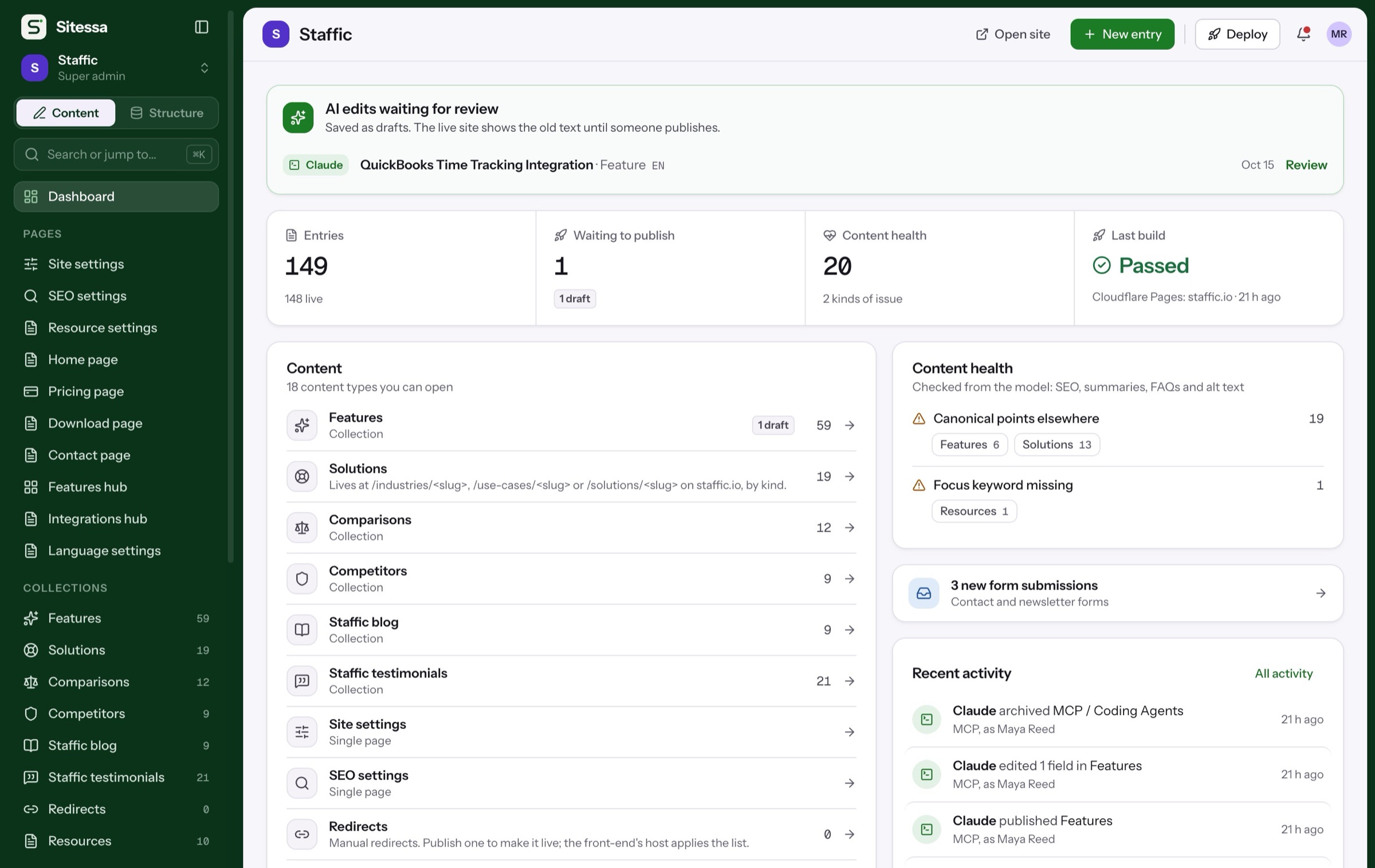
Each site has an MCP endpoint. Your AI reads the house rules first, and its edits arrive as drafts with its name on them.
WordPress: The official MCP Adapter plugin is still experimental. Your AI signs in as a WordPress user, with that user’s permissions.
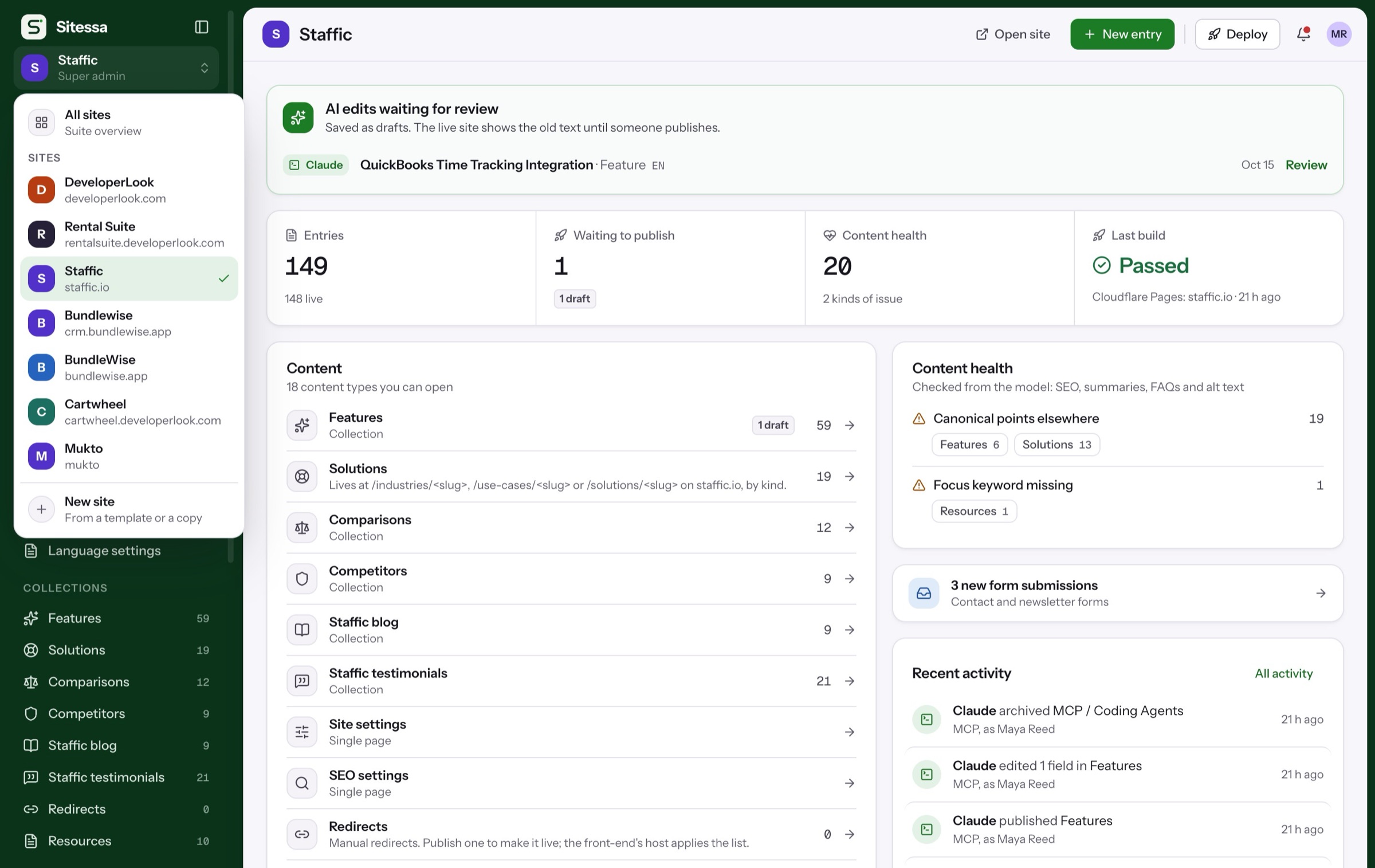
Each site keeps its own model, media, people and endpoint. Switch between them from the sidebar.
WordPress: Multisite runs many sites from one install. Themes and plugins are installed for the whole network.
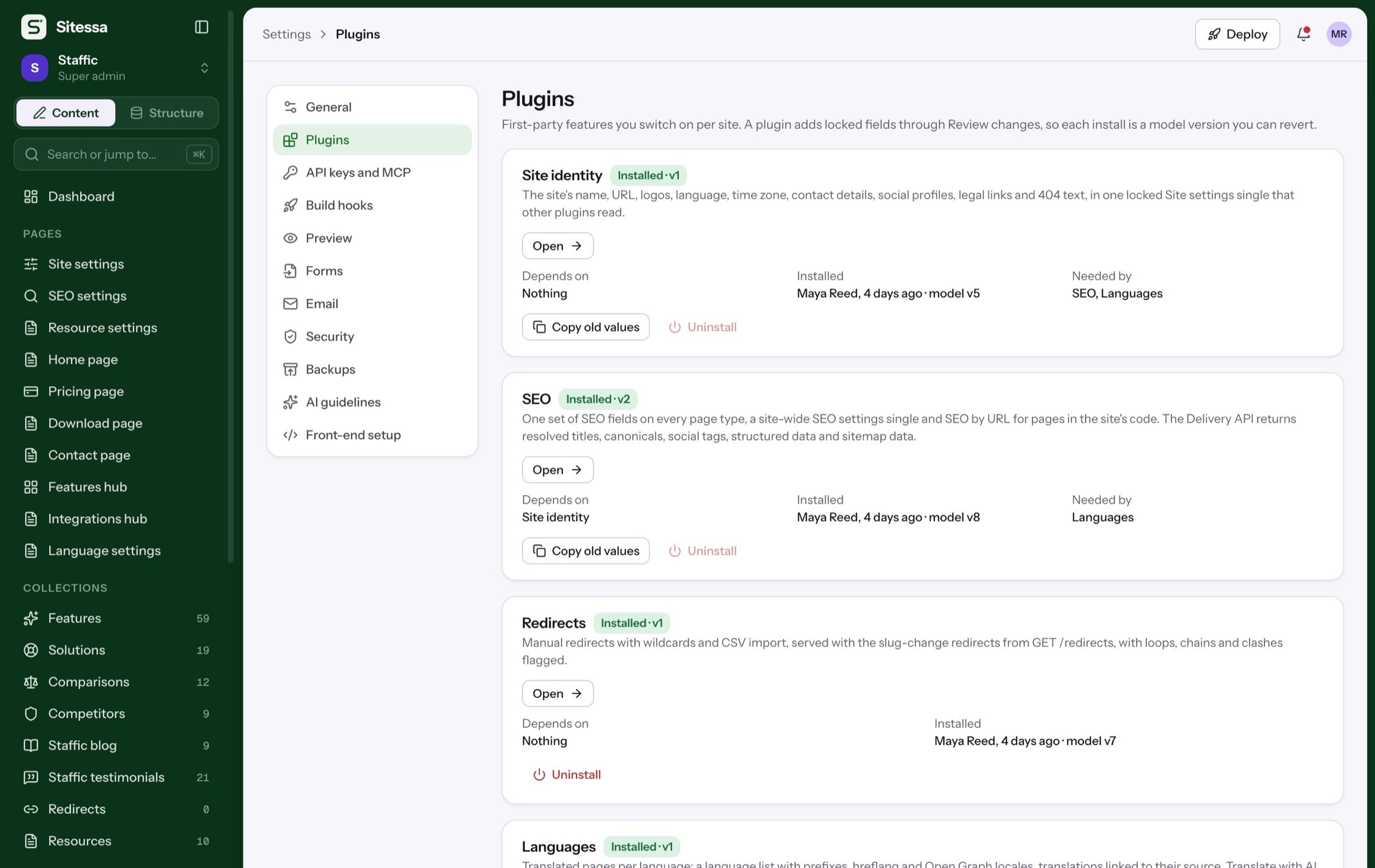
SEO, Languages, Redirects and Site identity are built in and installed as model versions. The CMS is updated for you.
WordPress: On a self-hosted site, you or your host keep core, plugins and themes up to date.
Moving over
From WordPress, with your AI.
Four steps. Your AI does the heavy lifting, and everything lands as drafts for you to check.
The plan waits in Structure › History until you apply it.
Cost
What each one costs.
WordPress is free software: you pay for hosting, or for a WordPress.com plan. Sitessa is free for individuals.
Free
for individual use, with every feature
Free
to download. Plus a host, or a WordPress.com plan:
WordPress.com list prices billed yearly, in US$ per month before tax, checked 23 October 2026. Monthly billing costs more, for example Personal at US$9.
More comparisons.
FAQ
Moving from WordPress?
Is Sitessa a WordPress replacement?
For sites with their own front-end code, yes. If you want themes and a page builder with no front-end work, WordPress is the better fit.
Can I use WordPress headless instead?
Yes. It has a REST API in core and GraphQL through the WPGraphQL plugin. WordPress.com's own guide lists the extra work: two codebases, two hosts, and plugins that may not support a headless setup.
Can I bring my WordPress content?
Yes. Export it, let your AI map it to Sitessa types, import it as drafts in batches of up to 100, and add redirects for the old URLs.
Does Sitessa have plugins?
Four first-party ones: SEO, Languages, Redirects and Site identity. Each install is a model version you can revert.
Do my editors need to learn code?
No. Editors work in forms built from the content model. A developer builds the site's front-end once.