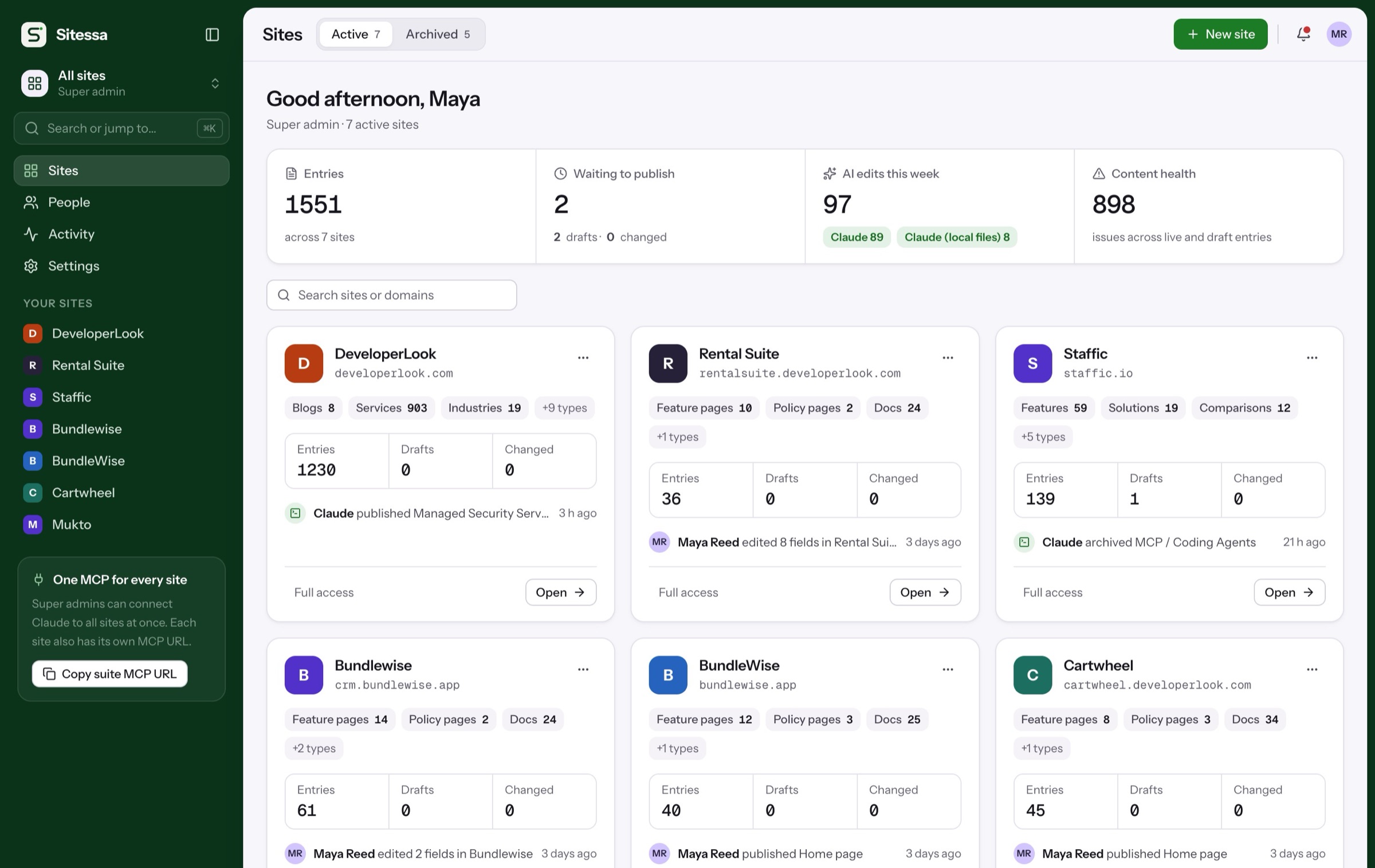
Write, or let AI draft. You publish.
Fields in clear sections, a rail of previews and checks, and the last 8 versions of every entry. Your own AI app drafts over MCP, and every change it makes waits for you.
Walkthrough
From draft to published.
One entry on a real site, start to finish.
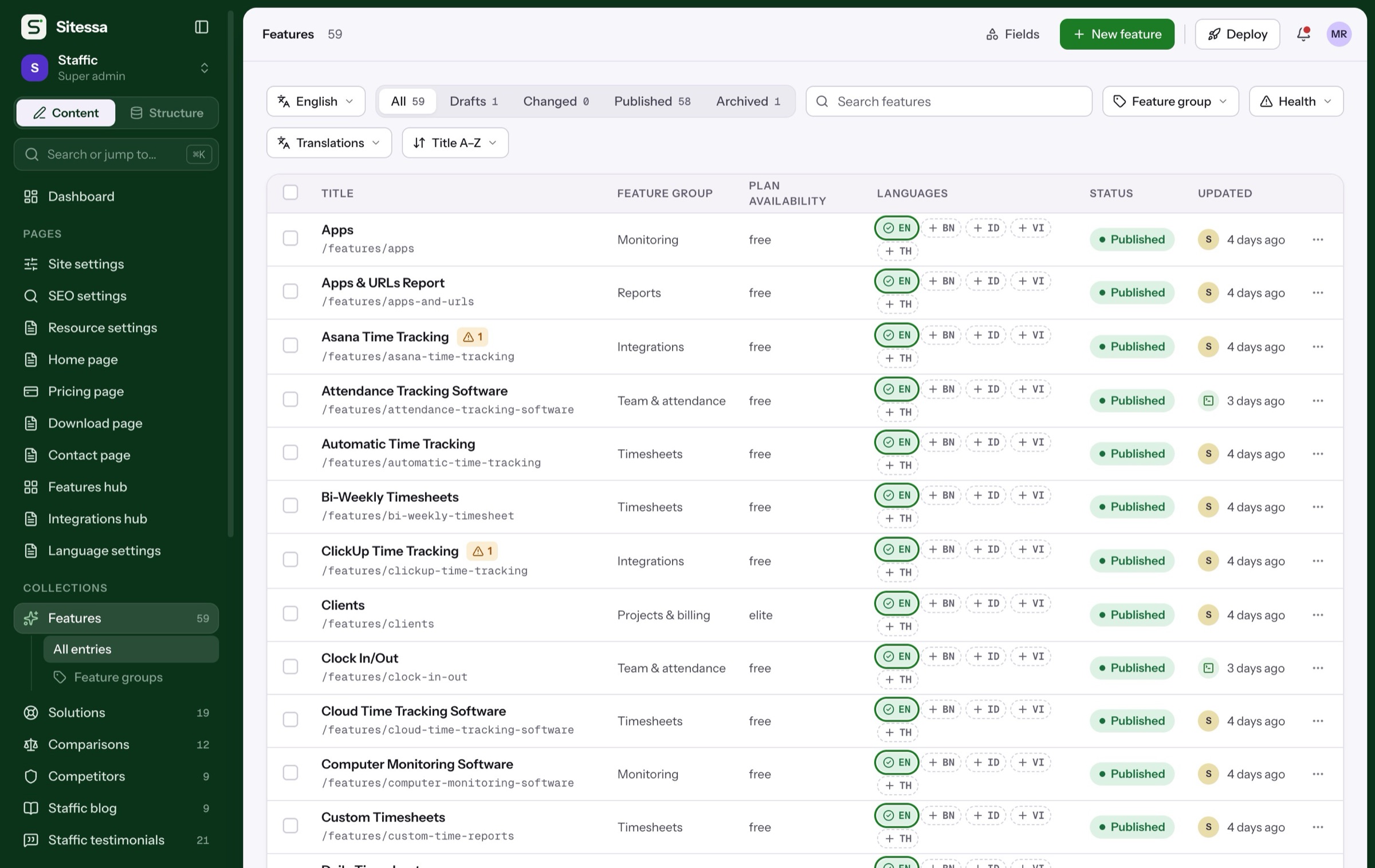
Filter by status, language or health, or press ⌘K to search entries, types and media.
- Drafts, changed, published, archived
- Bulk publish and archive
- Issue filters
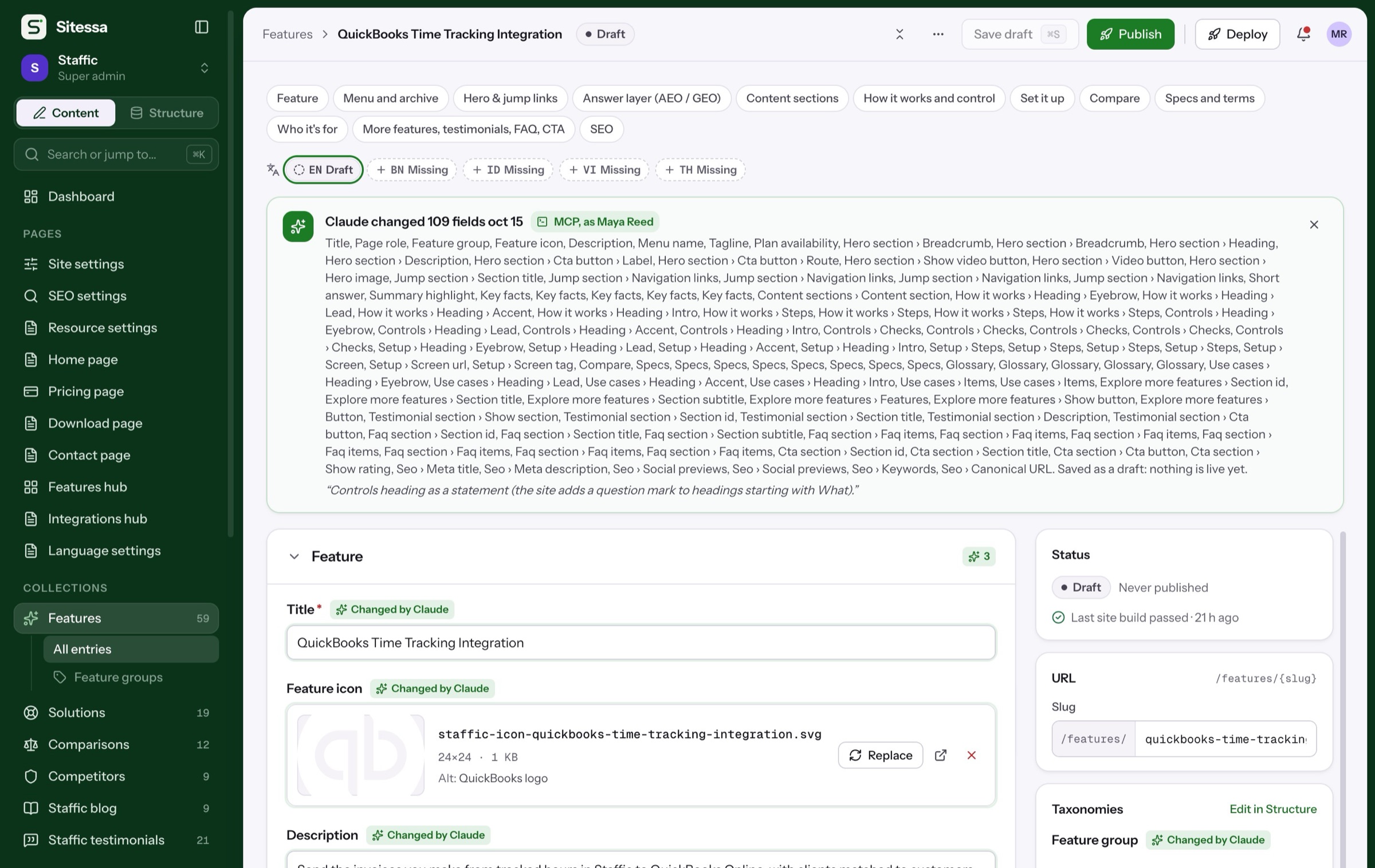
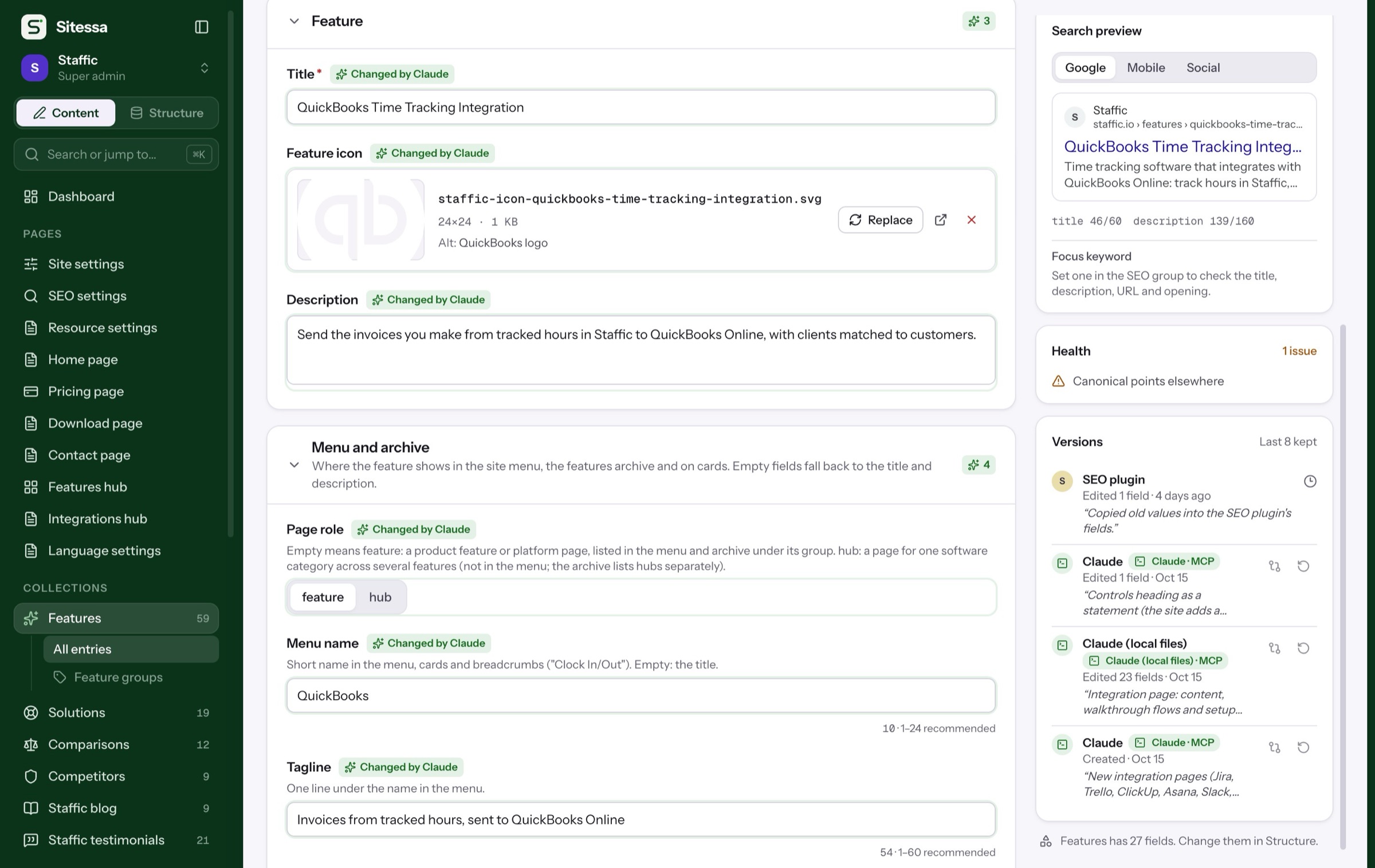
Drafts from Claude, Cursor or Codex carry the app's name, a note, and a badge on each field it touched.
- Changed by Claude badges
- The AI's note on the version
- Discard AI changes in one click
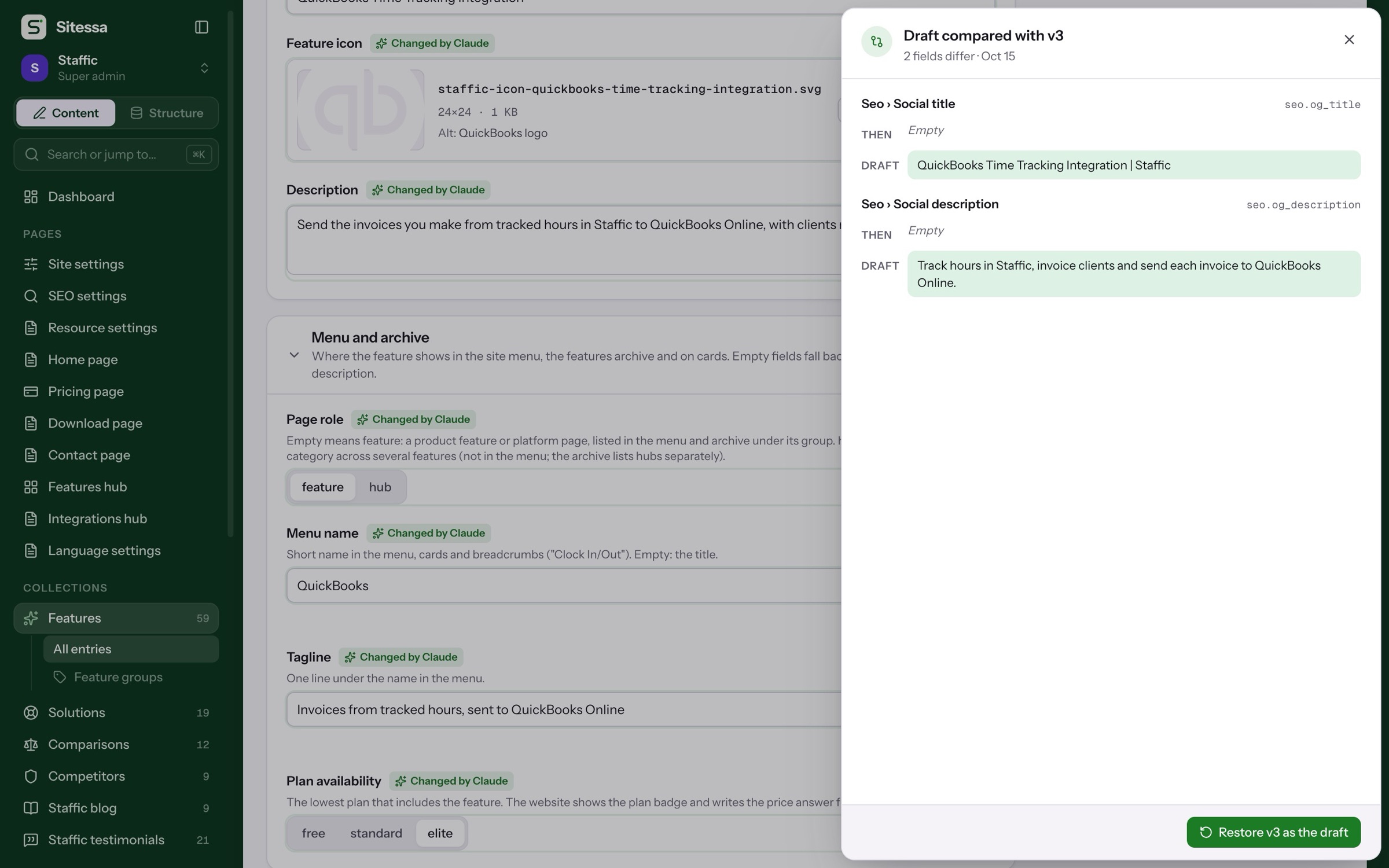
Compare the draft with the live page or any earlier version, field by field.
- Draft against live
- Any of the last 8 versions
- Restore one as a draft
The rail shows Google, mobile and social previews and content health, then you publish.
- Search, mobile and social previews
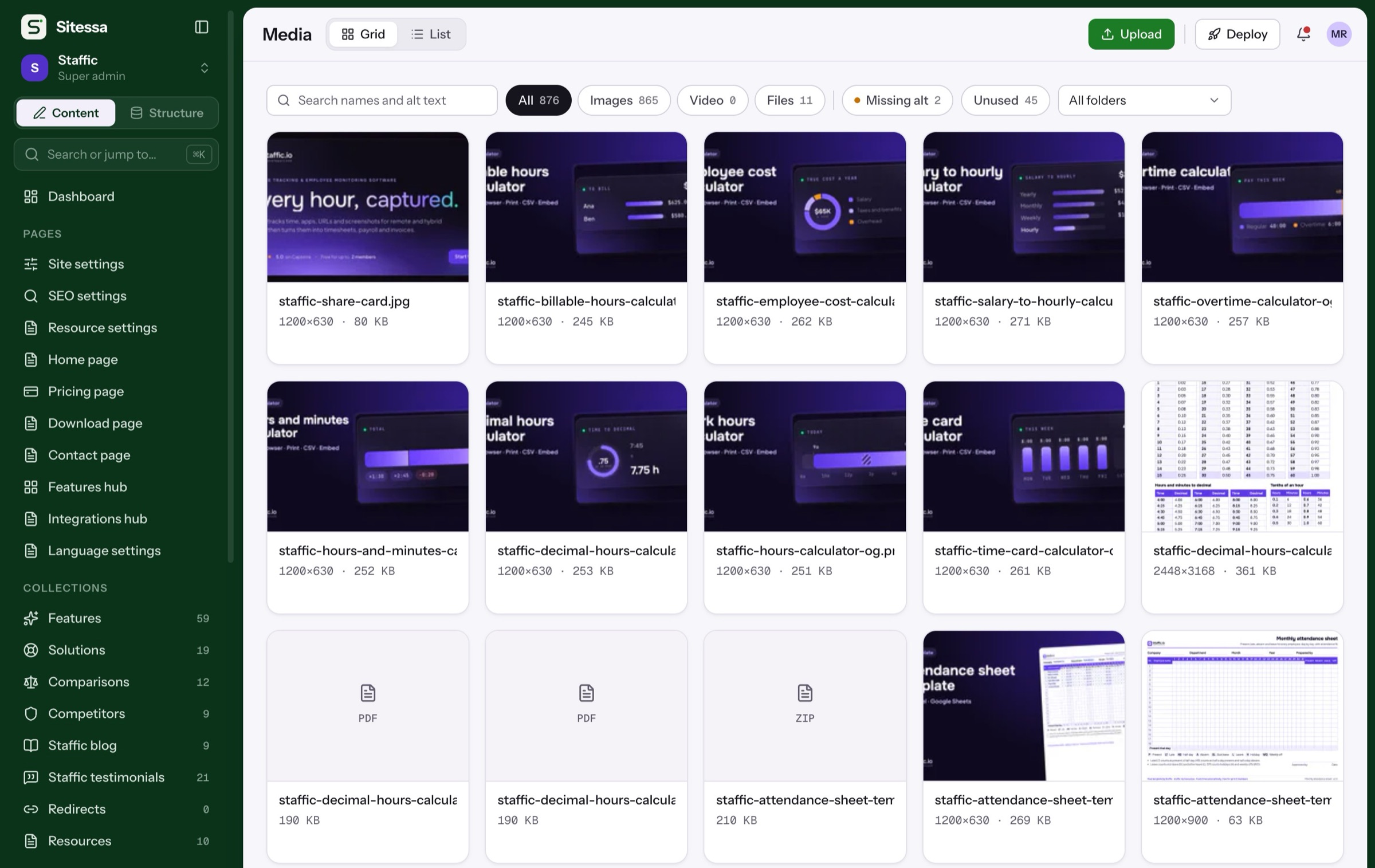
- Missing meta and alt text flagged
- Shareable preview link for 1 hour
Details
What the editor does.
- 01Status
Draft and publish
Save a draft with ⌘S, publish when ready. Live pages keep their text until you publish changes.
- 02AI
AI from your own app
Claude, Cursor or Codex write drafts over MCP with your permissions. Sitessa runs no AI of its own.
- 03AI
House rules first
AI apps read the site's guidelines, banned words and field hints before they write.
- 04History
Versions and restore
The last 8 versions of each entry, with who saved them and their note. Restore any one as a draft.
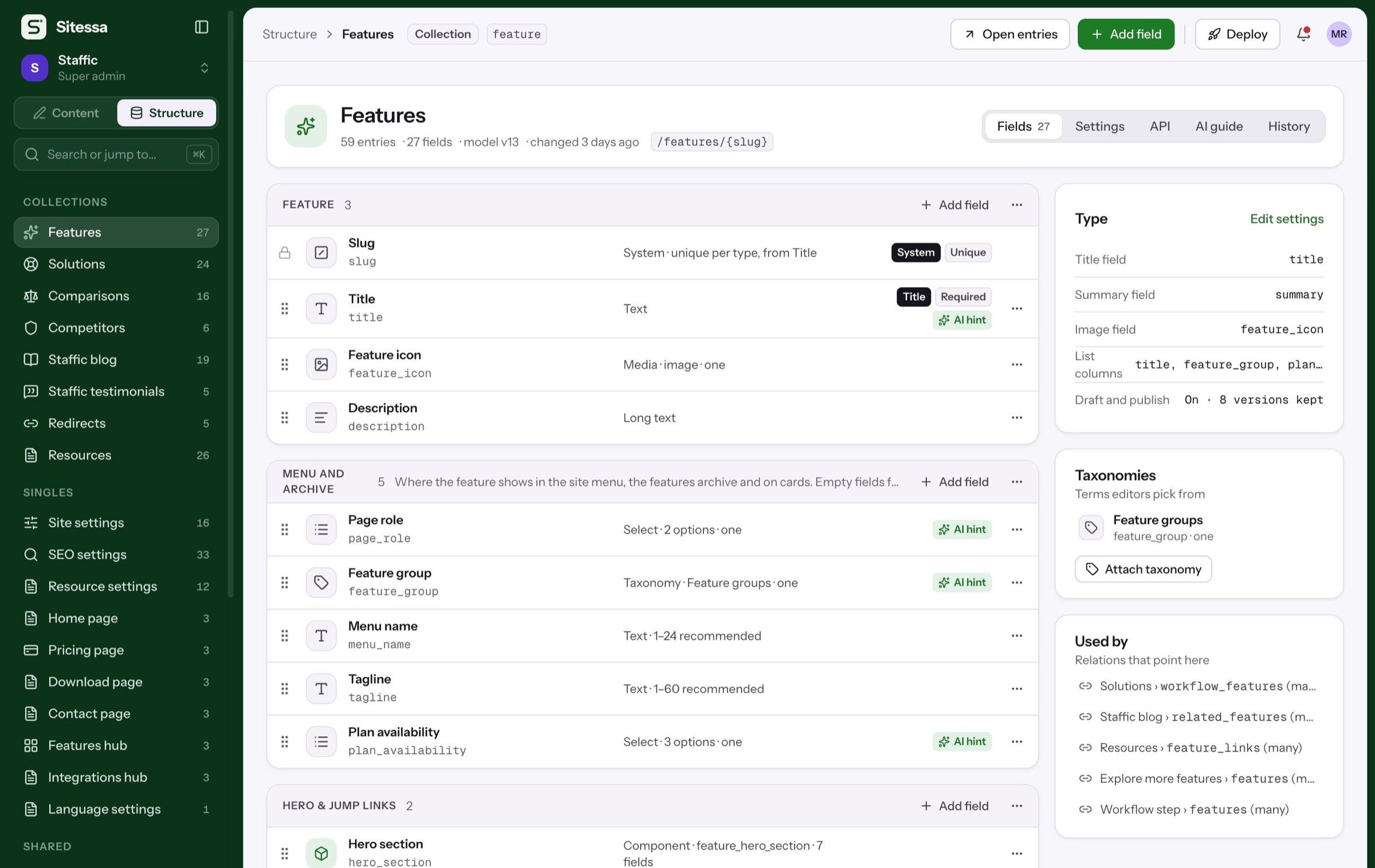
- 05Fields
Rich inputs
Rich text with links and images, markdown with callouts, date pickers, and blocks you drag to reorder.
- 06Teams
Safe saves
If someone else saved first, Sitessa says so instead of overwriting their work.
Does Sitessa write content with AI itself?
No. You connect the AI app you use, like Claude, Cursor or Codex, over MCP. It writes drafts with its name on them, and people publish them.
Can AI publish on its own?
Its edits are saved as drafts. It publishes only when you ask it to, and only if your role can publish.
How many versions are kept?
Up to 8 per entry, set per content type. Each one can be compared with the draft or restored.
Can I schedule a publish?
Not yet. Entries go live when someone publishes them.