The right access. For every person.
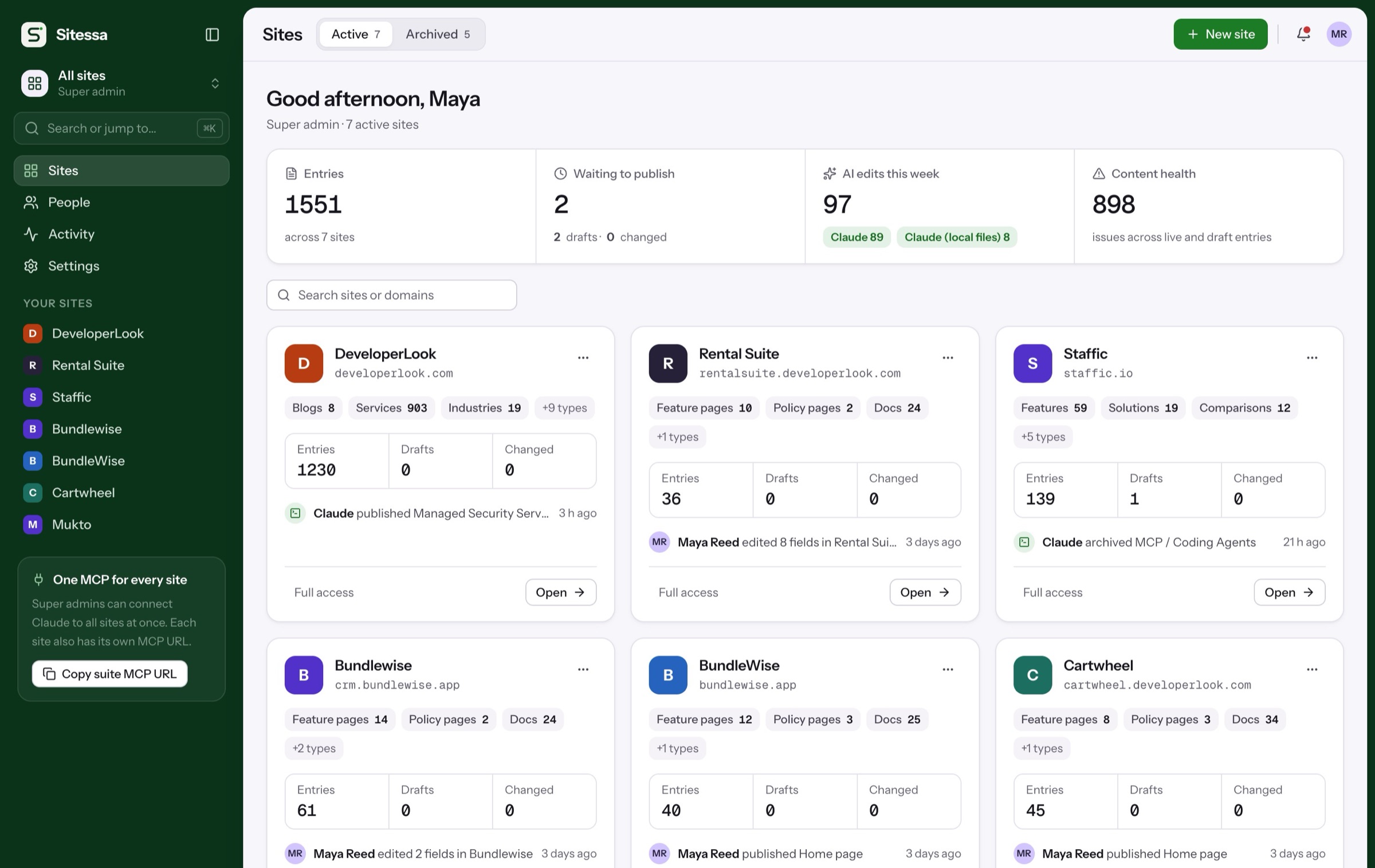
Invite people to one site with one role. Start with Admin, Editor and Viewer, or build your own roles per content type. Every change, by a person or an AI app, is logged.
Walkthrough
Who can do what.
Members, roles, keys and the activity log, on a real site. Pick a step, or let it play.
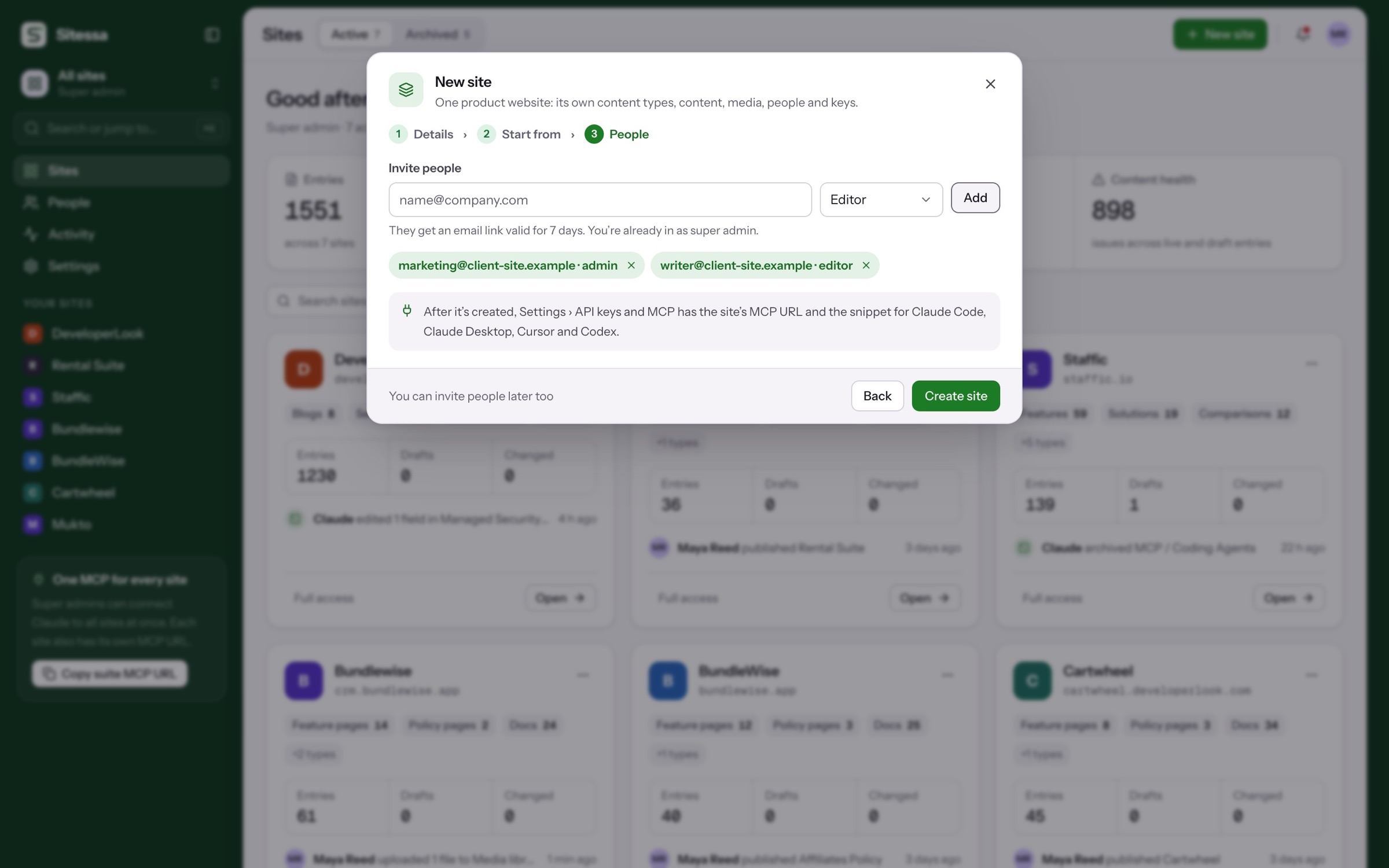
Invite people with a role when you create a site, or later from Members. Links last 7 days.
- One role per person per site
- Resend or cancel invites
- Sign-in with optional two-factor
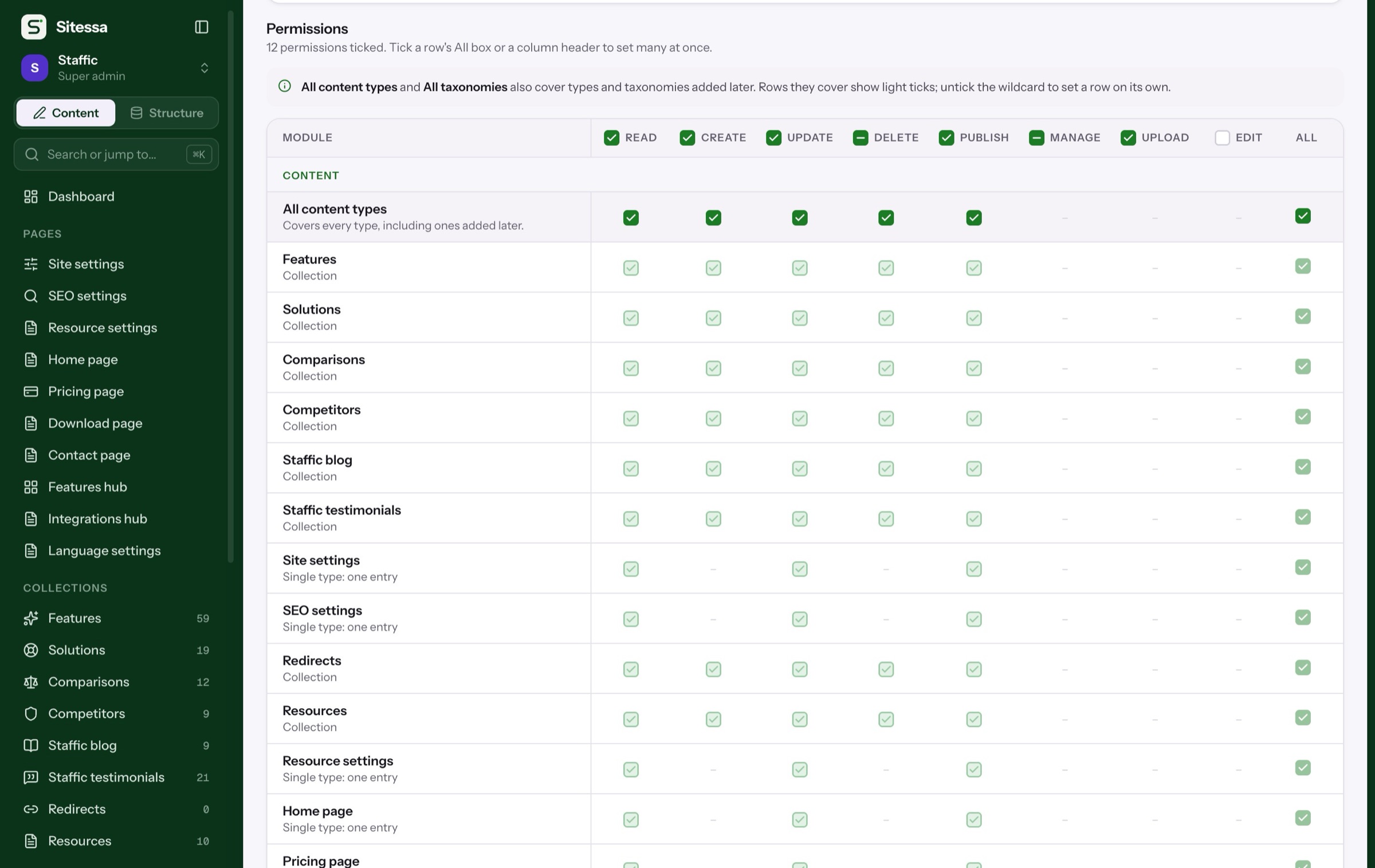
Set read, create, update, delete and publish for each content type, plus media, structure and settings.
- A row per content type
- Start from a preset
- New types covered by wildcards
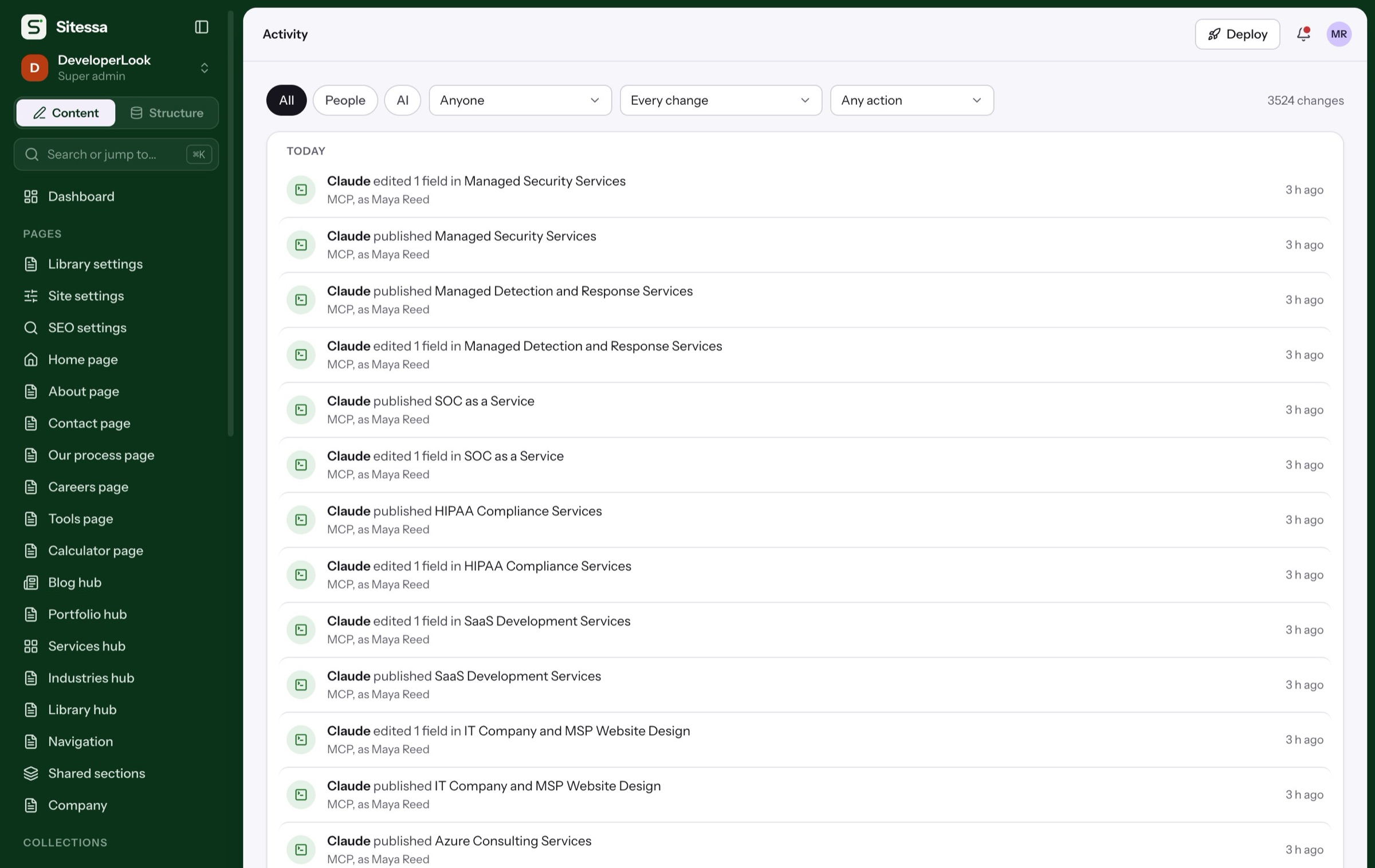
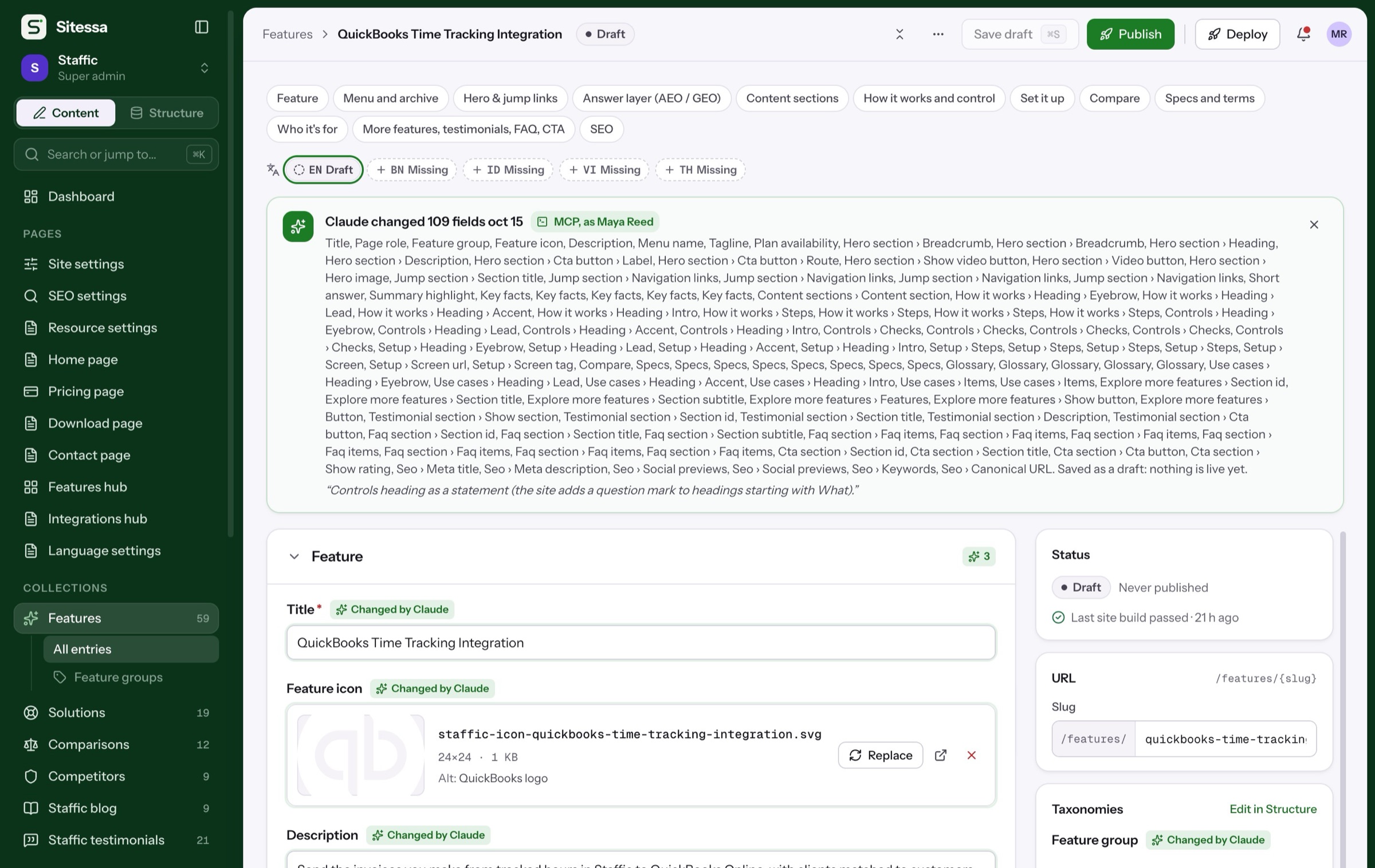
The activity log shows who did what, and badges changes made by AI apps or API keys.
- Filter by person or AI
- Filter by what changed
- Across one site or all
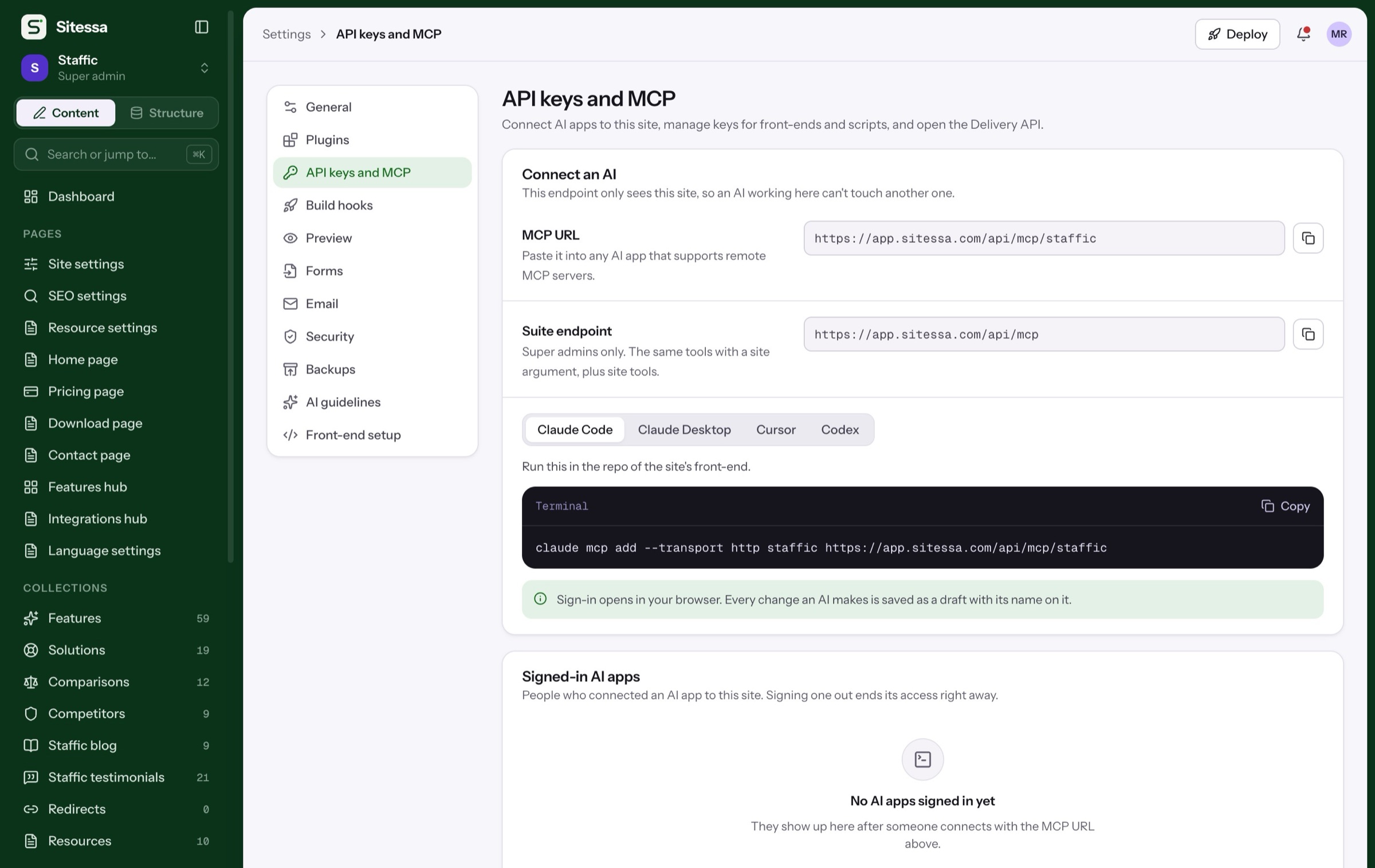
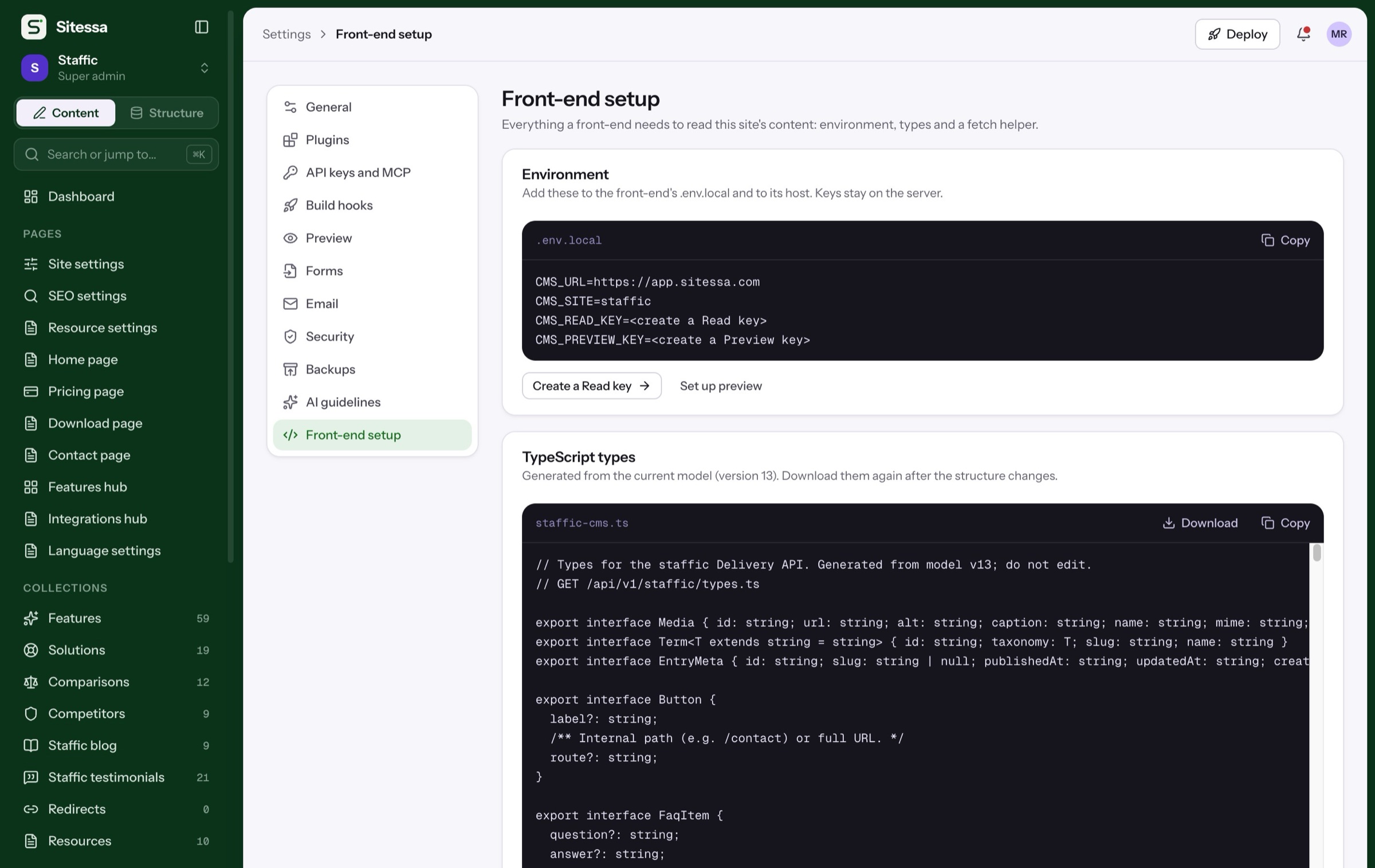
Create read, preview and write keys with an expiry, and sign out any connected AI app.
- Keys shown once
- Revoke at once
- AI acts with its person's role
Details
Access, kept tight.
- 01Roles
Admin, Editor, Viewer
Three roles on every new site. Admin has everything; Editor writes and publishes; Viewer reads.
- 02Roles
Custom roles
Name a role, start from a preset, and tick permissions in one matrix.
- 03Safety
No one grants more than they have
People can't give permissions they don't hold, or change their own role.
- 04Security
Two-factor
A code by email at sign-in. Require it for one site or for everyone.
- 05AI
AI with your permissions
An AI app signs in as a person and can do only what that person can. It can't manage people or keys.
- 06Alerts
Alerts
Email, Slack or Discord when a hook fails, a backup fails or a plan waits for review.
Can someone see only one site?
Yes. People are members of each site separately, with one role per site.
Can I limit a role to some content types?
Yes. Each content type has its own read, create, update, delete and publish permissions.
Can I restrict single fields or entries?
Not yet. Permissions are set per content type, plus media, structure, settings and members.
Is there single sign-on?
Not yet. People sign in with email and password, with optional two-factor.